
 2 MIN READ
 UPDATED OCT 30, 2026
Signed timesheets arrive in your approval queue. Your job is to approve clean records, and to look at - not necessarily block - the flagged ones.
The queue
Open Time Tracking. Summary cards show pending approvals, hours logged this week, and employees not yet tracking. A warning box at the top (… timesheets have compliance issues) names each flagged timesheet; click one to open it and see the exact rule that fired, in plain language.
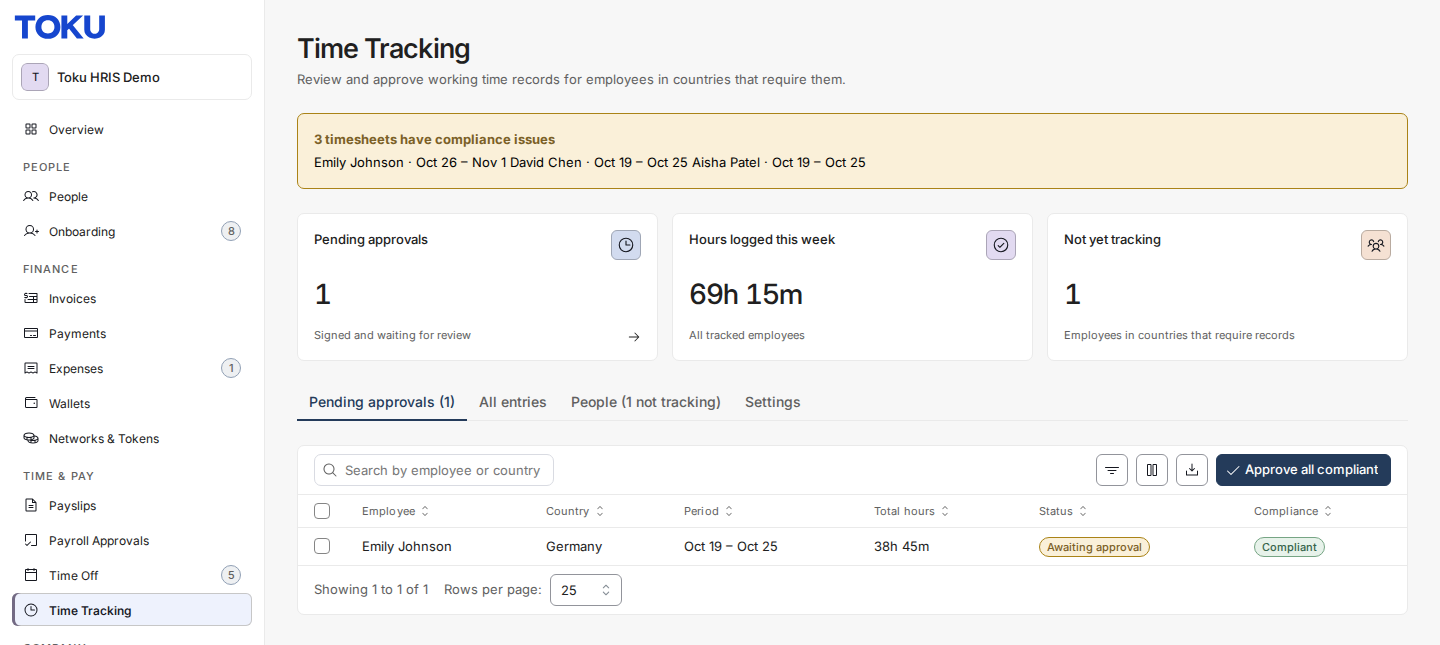
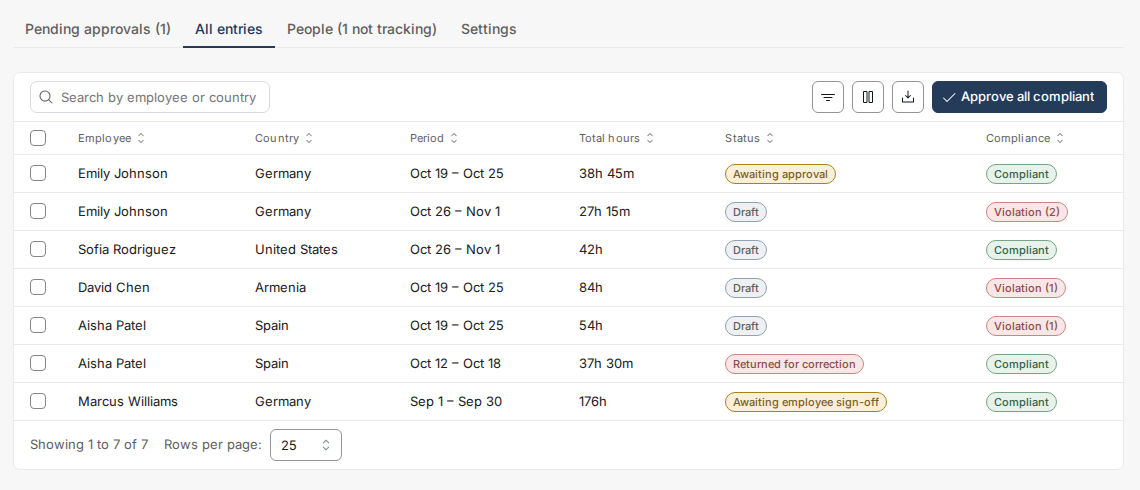
- Pending approvals shows signed timesheets waiting on you. All entries shows every period in any status.
- Use Filters to filter by country, compliance status, period type, or date range - these query the whole history, not just the loaded page. The table adds its own search, column filters, sorting, and column picker.
Review one timesheet
Click a row to open the detail view: the period day by day, each issue with the rule behind it, and the employee's signature (name and time).
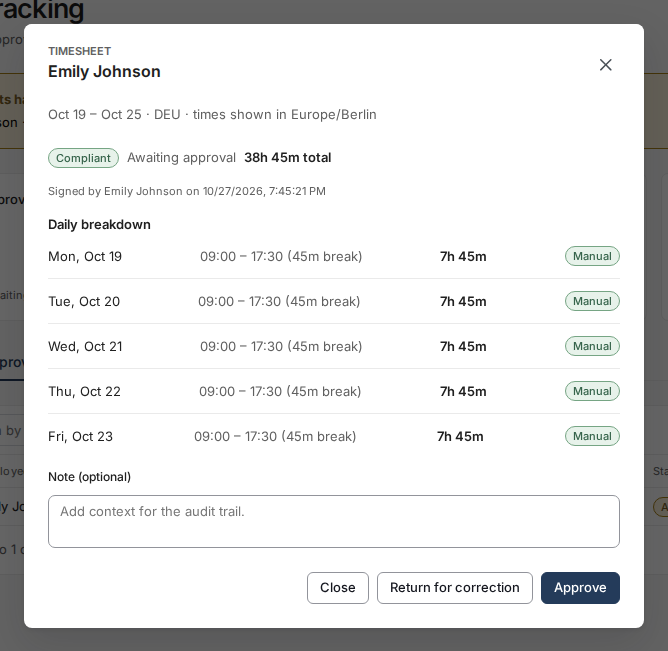
- Approve — if the timesheet carries a violation, a Note is required. That note is your recorded justification (for example, a documented deadline exception).
- Return for correction — write a reason in Note that the employee will read; the timesheet returns to them unlocked, and they fix and re-sign.
Bulk approve
Approve all compliant (or a selection) approves signed timesheets with no findings, and skips anything with a warning or violation - the result message tells you exactly how many were approved and how many were left for review. Flagged timesheets always get human eyes.
Notifications
You are notified when a timesheet is signed and waiting, when one goes unsigned past the deadline, and - immediately - when any timesheet develops a violation.
Questions not covered here? Email customer-success@toku.com.