
 3 MIN READ
 UPDATED NOV 4, 2026
For company admins on Toku Employment. Last updated November 4, 2026.
When an employee moves to Toku from a previous employer through a TUPE transfer, their employment carries over. Toku records two dates for them: the Original hire date, when their continuous employment began, and the Toku start date, when their Toku employment and payroll begin. Tenure counts from the original hire date. Payroll and benefits use the Toku start date, so the employee is enrolled in benefits like any new hire.
Before you start
- You need admin access to People in your Toku Employment account.
- The option appears for employees whose country of residence is the United Kingdom, an EU member state, Iceland, Liechtenstein or Norway.
- It is not offered for contractors or payroll-only employees.
- Agree the transfer date with your HR or legal contact first. Under TUPE in the UK, the previous employer must share employee information at least 28 days before the transfer.
Add the employee
- Go to People and select Add People.
- Choose Employee, select Continue, choose the service (for example Employer of Record (EOR)) and select Continue.
- Enter the employee's name and personal email, then choose their Country of residence.
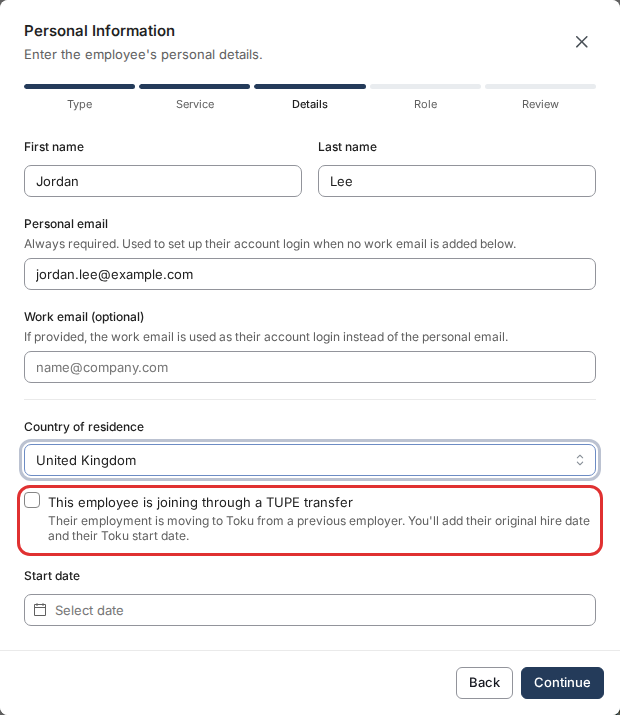
- Tick This employee is joining through a TUPE transfer.
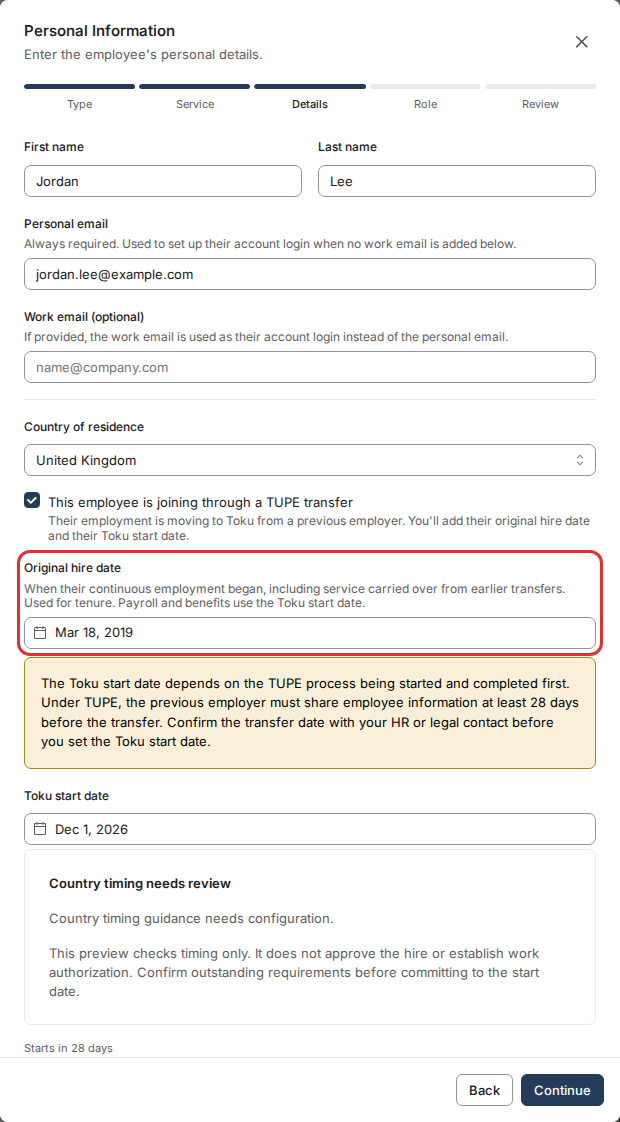
- In Original hire date, pick the date their continuous employment began, including service carried over from earlier transfers. It cannot be later than the Toku start date.
- In Toku start date, pick the date their Toku employment and payroll begin. Read the note above it and confirm the transfer date before you set this date.
- Select Continue and finish the Role and Review steps as you would for any new employee.
After you add them
- Their profile shows Toku Start Date, Original Hire Date and Transfer Basis in Employment Details.
- Tenure on the profile and in the Turnover reports counts from the original hire date.
- To correct the original hire date, open their profile, select Edit on Employment Details and change Original Hire Date (TUPE), or clear it. Your change is submitted for review and applies once it is approved.
- To record vacation days they bring from their previous employer, go to Time Off, select the Balances tab, choose the employee, select the pencil on the Statutory vacation row and enter the days in Days Carried Into , with an optional reason. The days are added on top of their country's allowance for the current year, they keep accruing as before, and they see the higher balance on their own Time Off page.
Good to know
- The original hire date is used for tenure only. Notice periods, probation, final pay and benefits enrollment are not worked out from it automatically. It is recorded so your HR team can see it.
- If the employee later becomes a contractor or a payroll-only employee, the original hire date stops counting toward their tenure. It does not start counting again if they return to employment.
- The Toku start date can't be moved earlier than the original hire date.
Still stuck?
Email customer-success@toku.com and we'll help.