
 3 MIN READ
 UPDATED NOV 2, 2026
For company admins on Toku. Last updated November 2, 2026.
Share a handbook, policy or other document with your employees and contractors, ask each of them to confirm they have read it, and see who has and who hasn't. Each confirmation is saved to the person's Documents with the exact version they read and when they confirmed it.
Before you start
- You need Full access to Documents in Team & Permissions. Admins limited to a team can only ask people on their own team.
- It's part of Employment. If you don't see the Acknowledgments view, your company may not have Employment turned on.
- This is an acknowledgment ("I have read and understood this document"), not an electronic signature.
- Files can be up to 10MB.
Send a document for acknowledgment
- Log in at app.toku.com and select Documents in the left-hand menu.
- Select Acknowledgments above the table, then Request acknowledgment.
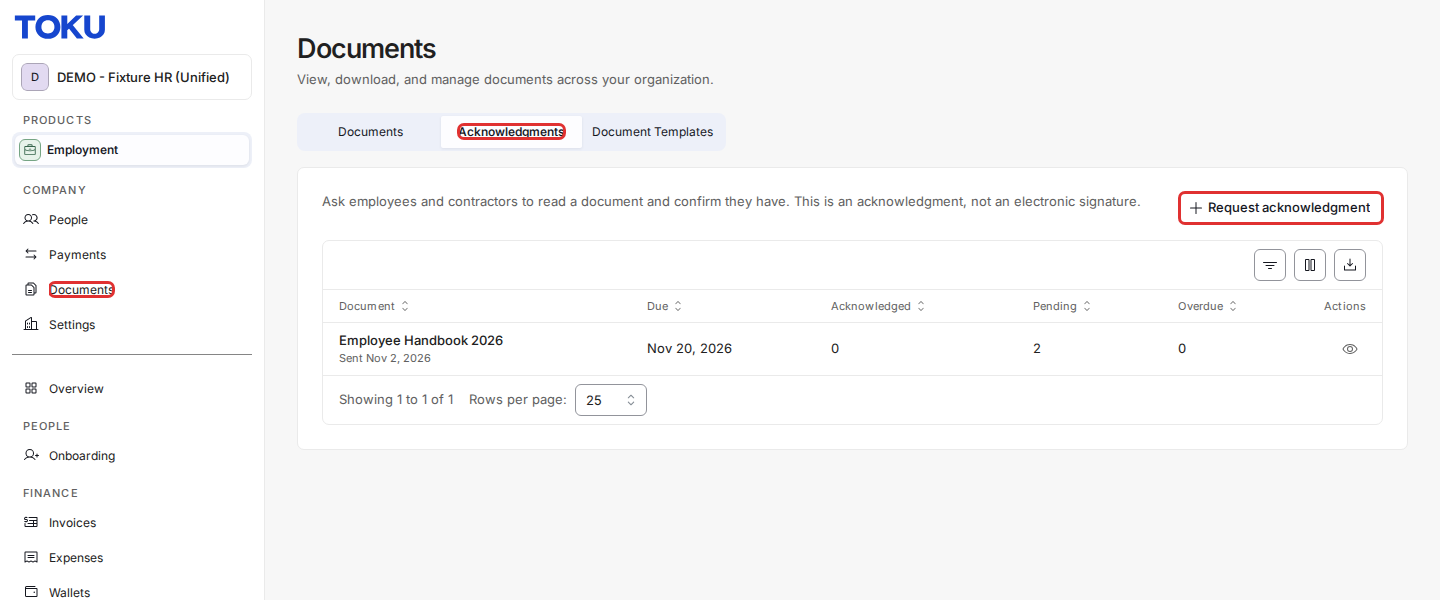
- Upload the document, give it a title, and choose what the confirmed copy is saved as (for example Handbook / policy).
- Optionally set a due date and add a note for the people you're asking.
- Search for and select one or more people (or Select all shown), then select Send request.
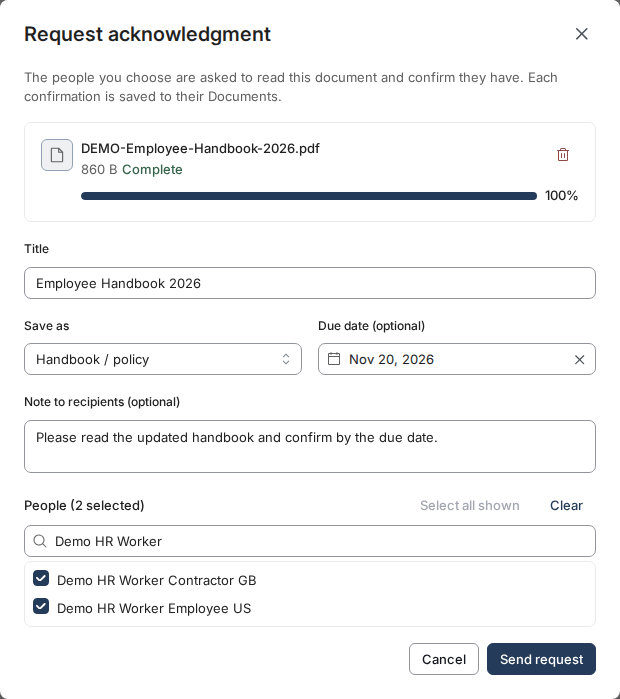
Everyone you selected gets an email asking them to read and acknowledge the document.
Track who has acknowledged it, and send reminders
- On the Acknowledgments view, each request shows how many people have acknowledged it, how many are still pending, and how many are overdue (pending after the due date).
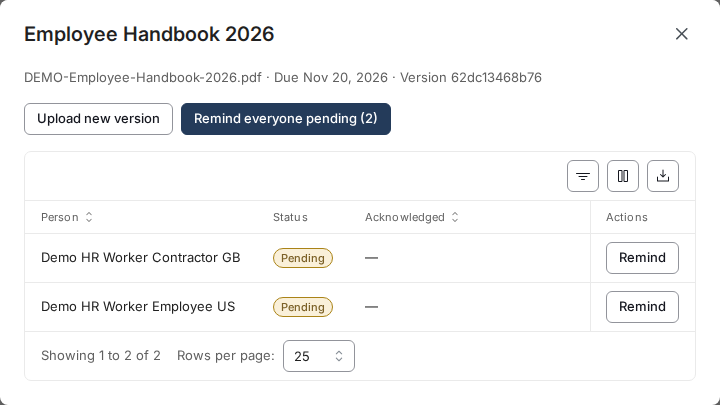
- Select the eye icon in the Actions column to see each person's status and when they acknowledged it.
- Select Remind next to a person, or Remind everyone pending, to send another email.
Update the document
Select Upload new version in the same window to share an updated document. People who hadn't acknowledged the old version are asked to acknowledge the new one instead. Acknowledgments already given for the earlier version are kept.
What your employees and contractors see
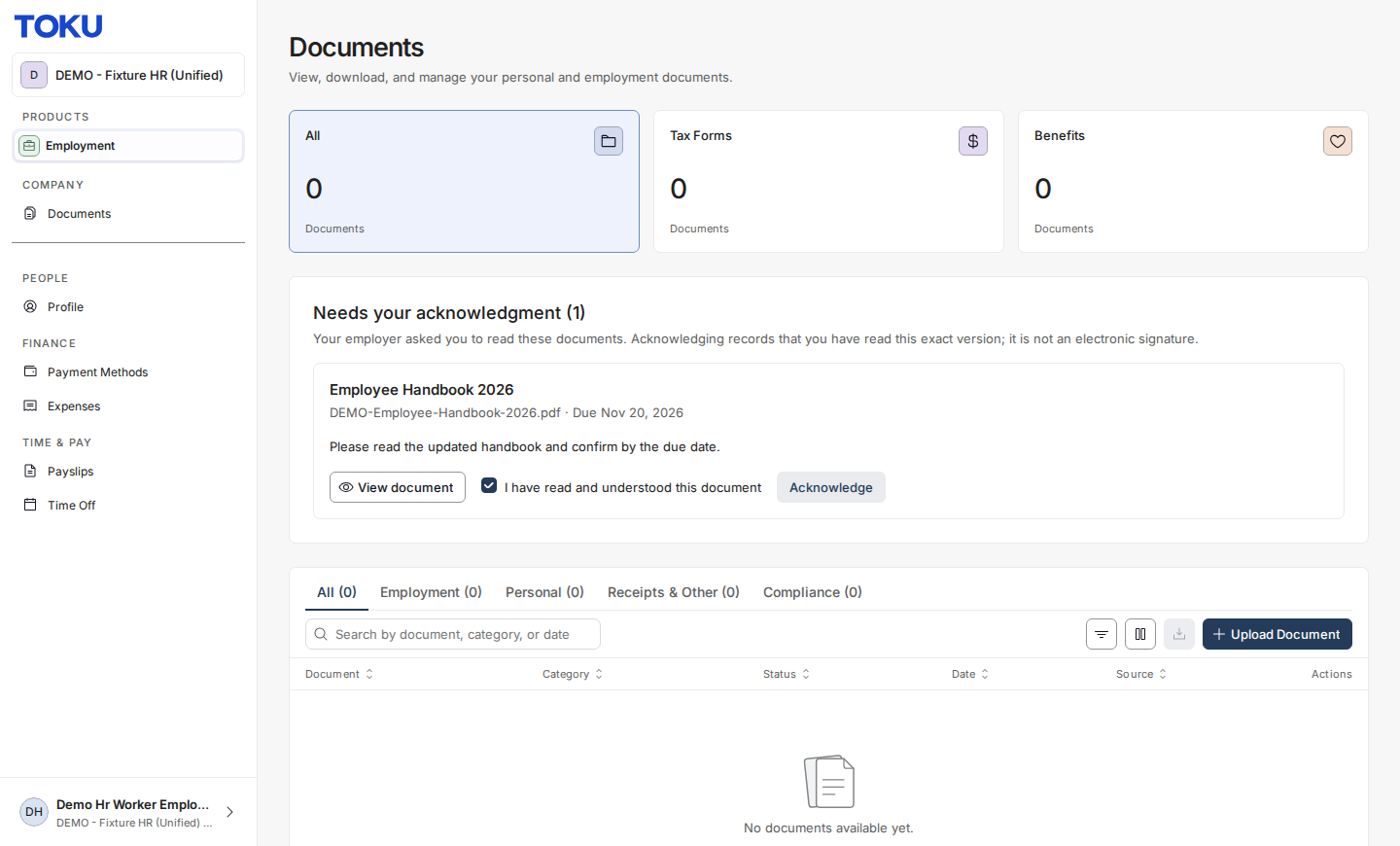
- On their Documents page, a Needs your acknowledgment section lists the document, its due date and your note.
- They select View document to read it, tick I have read and understood this document, and select Acknowledge.
- The confirmed copy is saved to their Documents list, where you can see it too.
Good to know
- Reminders are sent when you choose. They aren't sent automatically.
- To share a document that doesn't need confirmation with many people at once, use Upload to multiple people on the Documents view of the same page.
- For documents that need an electronic signature, contact your Toku team.
Still stuck?
You can email customer-success@toku.com to reach our support team. Please include your email address, organization name, and a description of what happened. Screenshots and videos are always welcome.