
 2 MIN READ
 UPDATED OCT 30, 2026
📘 For organization administrators on Toku. Last updated October 30, 2026.
An employee's work email is set once, when they're added to your organization, and appears on their profile. It can't be edited from the profile - the field is read-only and is provisioned by your organization.
Before you start
- You need administrator permissions in your Toku account.
- Know which employee you want to look up (their name or existing email).
Open an employee's profile
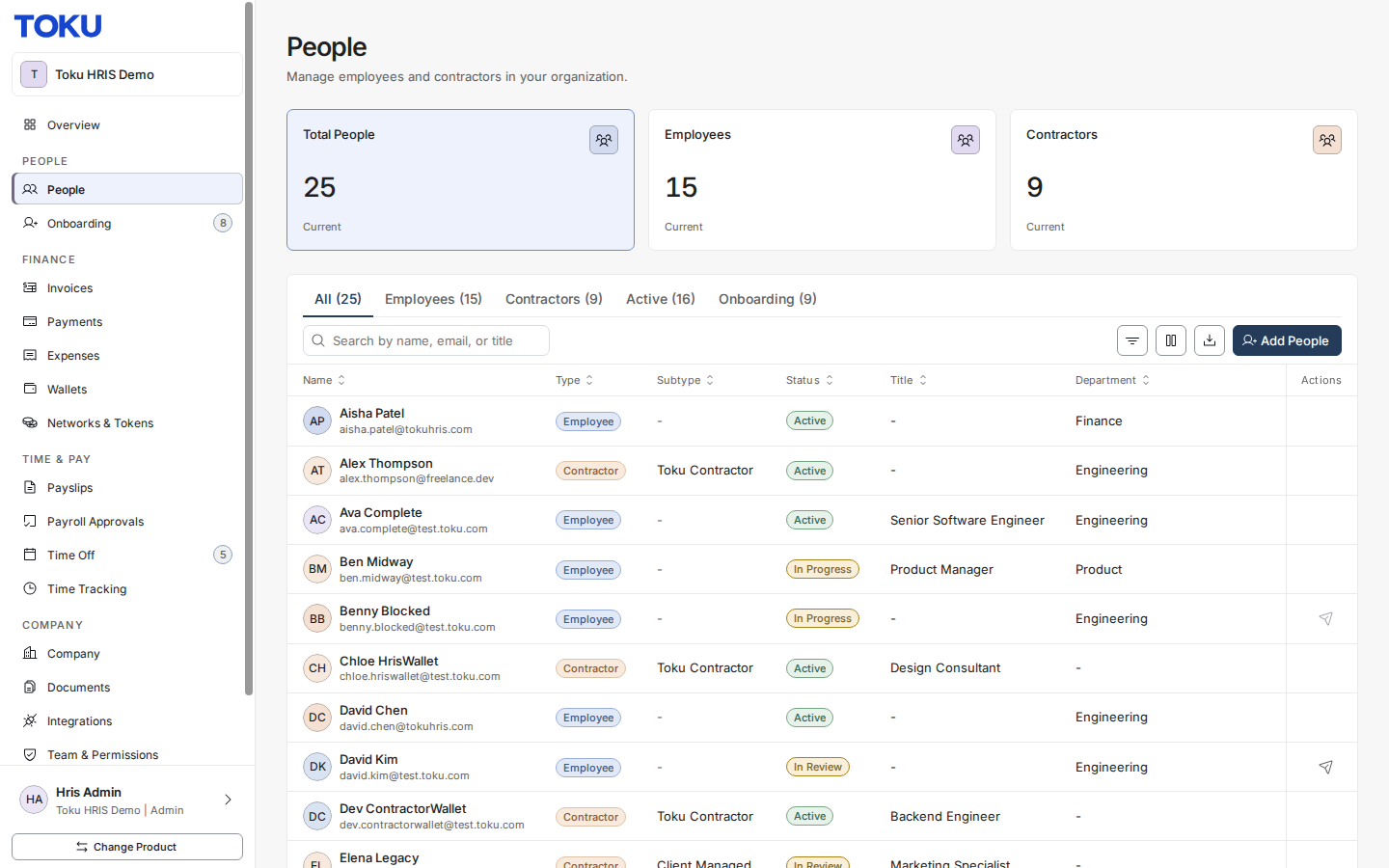
- From the admin sidebar, go to People, then click the employee you want to view.
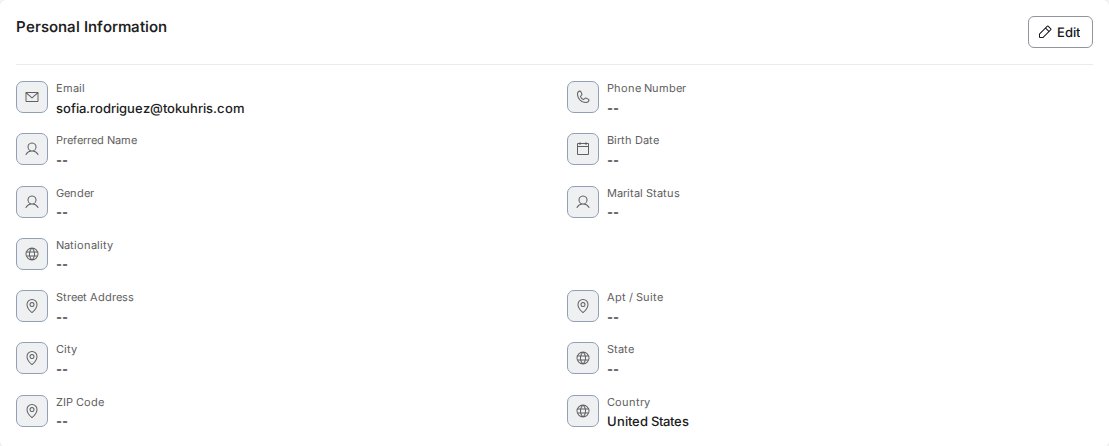
- Scroll down to the Personal Information section of their profile.
About the work email field
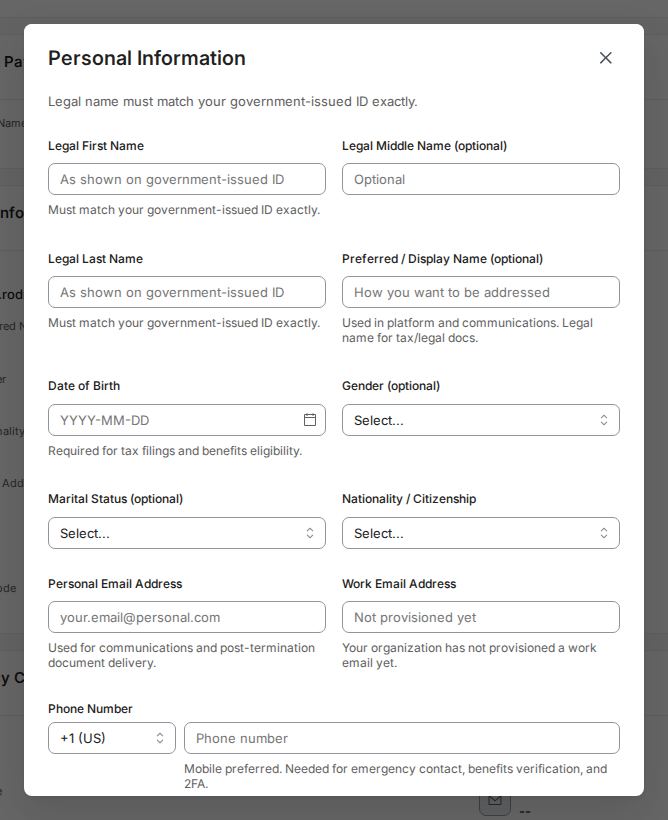
- Click Edit on that section to see the Work Email Address field. It's shown for reference only - the field is read-only and can't be typed into.
Change the account email from the People Directory
The account email is the address a person signs in with. Organization administrators can change it from the People Directory rather than from the profile:
- From the admin sidebar, go to People.
- Find the person in the list and click Edit Role (for an investor, Edit Investor).
- Enter the new address in the Email field and save. This works for people who sign in with single sign-on too: their sign-in is updated first, and any session they had open ends, so they sign in again with the new address. If the address is already used by another Toku account, the change is refused and the person keeps their current email; use a different address or contact us.
Good to know
- When a work email has been provisioned, the field shows the hint "Provided by your organization. Contact HR to update."
- If nothing has been provisioned yet, the field shows "Not provisioned yet" and stays read-only.
- The Work Email Address field only appears for employees based in the United States.
- The employee's account email, shown in the People list and at the top of their profile, is set when they are added to your organization. An administrator can change it later from the People Directory (see above); it cannot be edited from the profile.
Still stuck?
You can email customer-success@toku.com to reach our support team. Please include your email address, organization name, and a description of what happened. Screenshots and videos are always welcome to speed up the troubleshooting process. Feel free to reach out any time for further assistance.