
 2 MIN READ
 UPDATED OCT 30, 2026
📘 For employees and contractors on Toku. Last updated October 30, 2026.
Manage your personal data and marketing preferences directly in your Toku account.
Before you start
- Log in to your Toku account at app.toku.com
- These options sit at the bottom of your Profile page and require an active login. Contact your HR team if you have trouble signing in.
Access your data control settings
- Select Profile in the left-hand menu, then scroll to the bottom of the page to find the data management options.
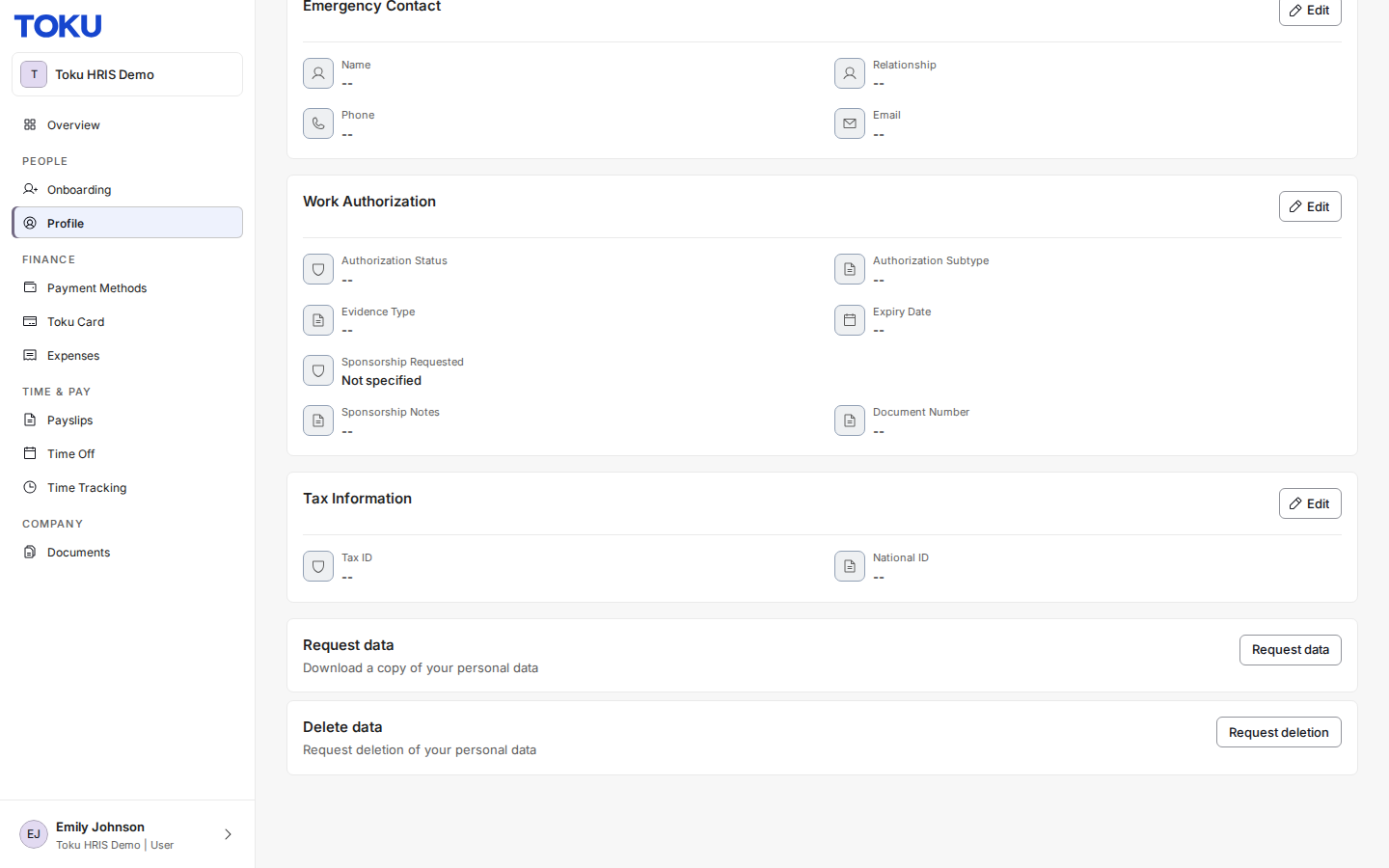
- The Request data card downloads a copy of your personal data. The Delete data card starts a request to have it deleted.
Request a copy of your data
- Select Request data to ask Toku for a downloadable copy of your personal data.
- Toku processes the request and emails you a confirmation, typically within 1-3 business days.
Delete your personal data
- Select Request deletion to start a request to permanently delete your personal data.
- The Request Data Deletion dialog opens with a red warning: "This action is irreversible. A deletion request will be submitted to Toku for review. Your data will not be deleted until the request is approved." Add a Reason (optional) if you want, type DELETE in the confirmation box, then select Submit Request. The button stays greyed out until you type DELETE exactly.
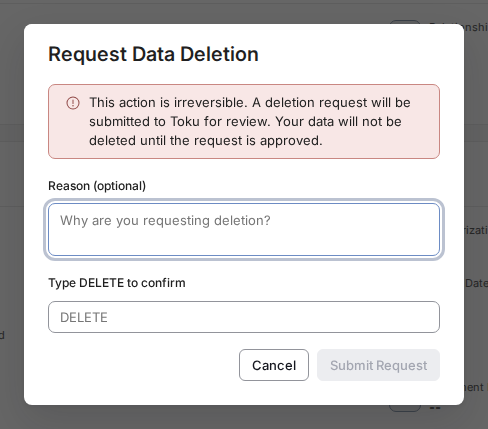
- Toku reviews your request before anything is deleted. You will hear back once it has been reviewed - you do not need to email anyone separately.
Good to know
- Once a deletion request is approved, the deletion is permanent and will affect your ability to use the platform going forward.
- Toku is required to retain certain data to continue providing employment or contractor services.
- Processing requests typically take 1 - 3 business days.
Still stuck?
You can email customer-success@toku.com to reach our support team. Please include your email address, organization name, and a description of what happened. Screenshots and videos are always welcome to speed up the troubleshooting process. Feel free to reach out any time for further assistance.