
 4 MIN READ
 UPDATED OCT 31, 2026
🇮🇳 For employees in India who are paid through Toku. Last updated October 31, 2026.
Your Provident Fund (PF) contribution is the part of your basic salary that goes into your Employees' Provident Fund account each month. You choose how much when you join. You can ask to change it at any time from your Profile, without emailing support.
Your two PF options
- Standard (12% of basic salary, capped at ₹15,000 base). Your contribution is 12% of your basic salary, worked out on no more than ₹15,000 a month. If your basic salary is above ₹15,000, the contribution stays at 12% of ₹15,000, so more of your pay reaches your bank account.
- Voluntary higher contribution (12% of full basic salary, no cap). Your contribution is 12% of your whole basic salary. More goes into your retirement savings each month, and your take-home pay is lower.
💡 If your basic salary is ₹15,000 a month or less, both options give the same contribution. The choice only makes a difference when your basic salary is higher than that.
See your current choice
- Sign in to Toku at app.toku.com.
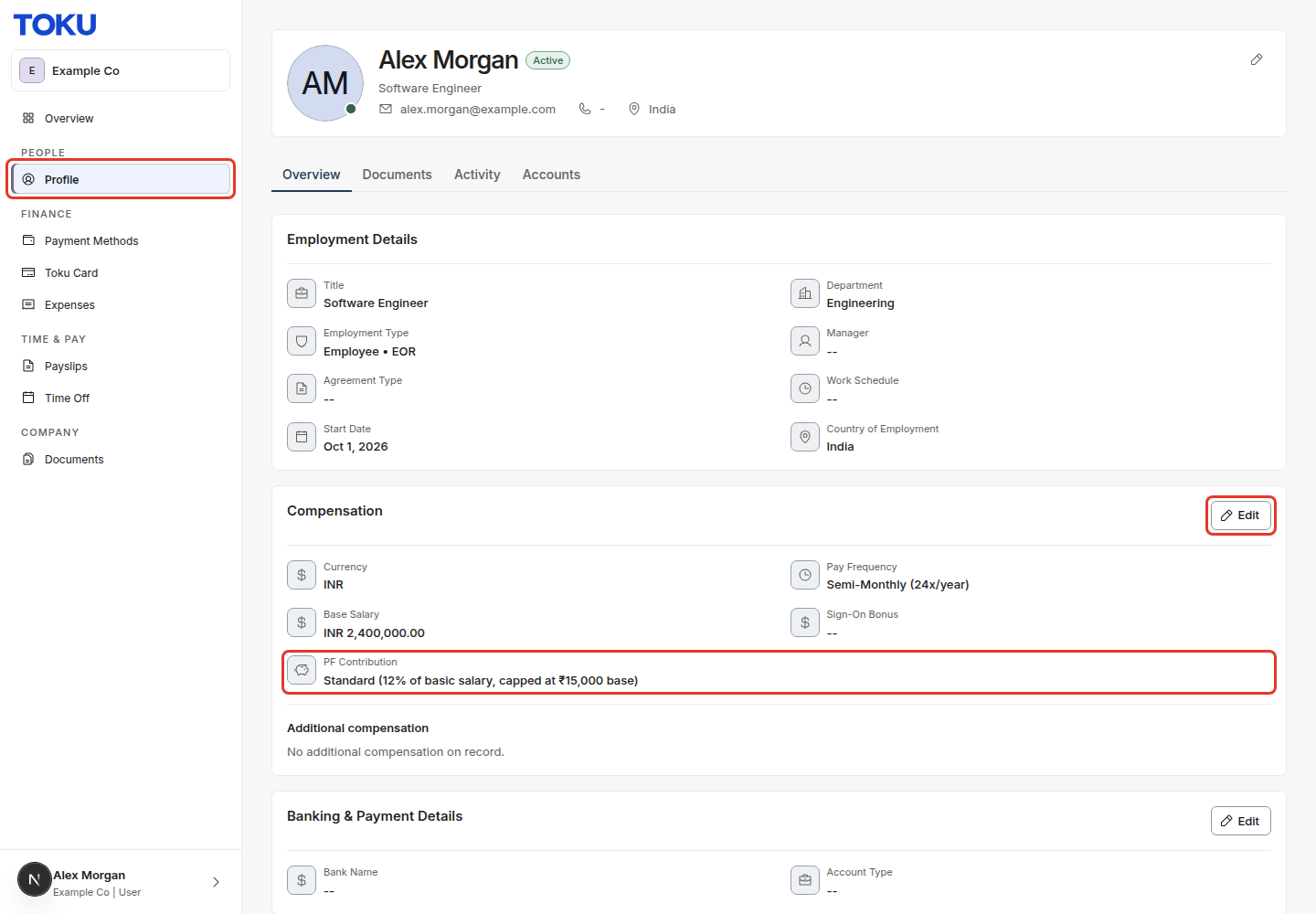
- In the left-hand menu, under PEOPLE, select Profile.
- On the Overview tab, scroll to the Compensation section. Your choice is shown as PF Contribution, under your currency, pay frequency and base salary.
Ask to change your PF contribution
- Open your Profile and find the Compensation section, as above.
- Select Edit at the top right of the Compensation section.
- Under PF Contribution, choose the option you want. It's the only thing you can change in this section.
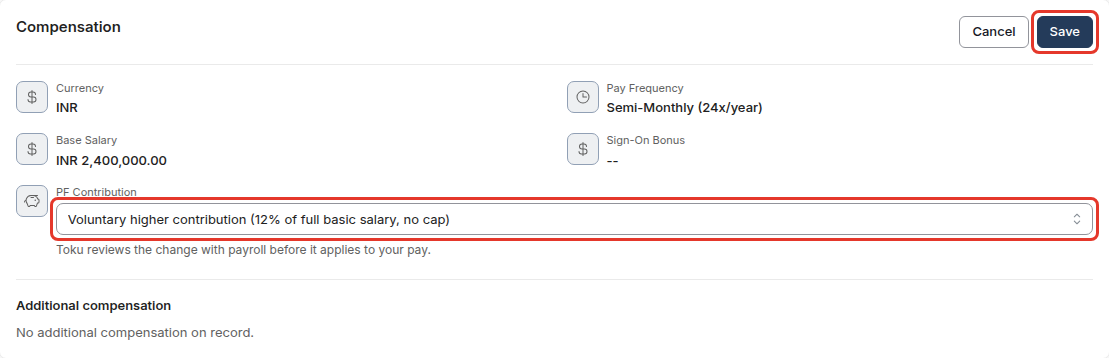
- Select Save. A Change requested message confirms that your request was sent.

Changed your mind before saving? Select Cancel and nothing is sent.
What happens next
- Your request waits for review. While it does, the Compensation section shows your current option crossed out, with an arrow to the option you asked for. Your pay doesn't change yet.
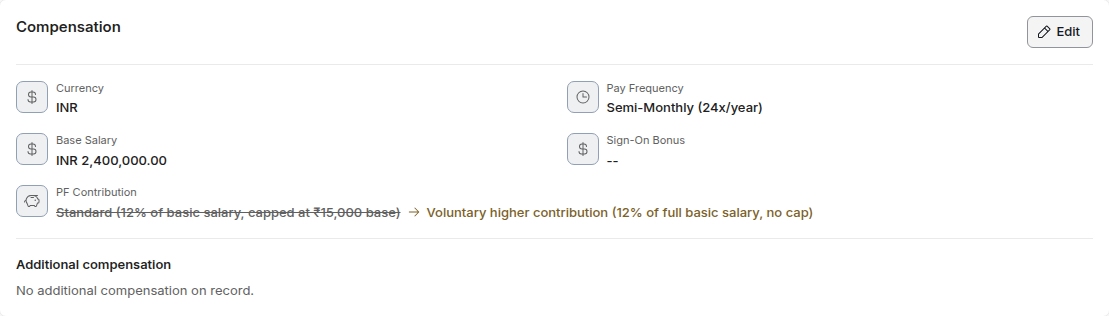
- Toku reviews it with payroll. Because PF is a statutory deduction, every change is checked before it reaches your payslip.
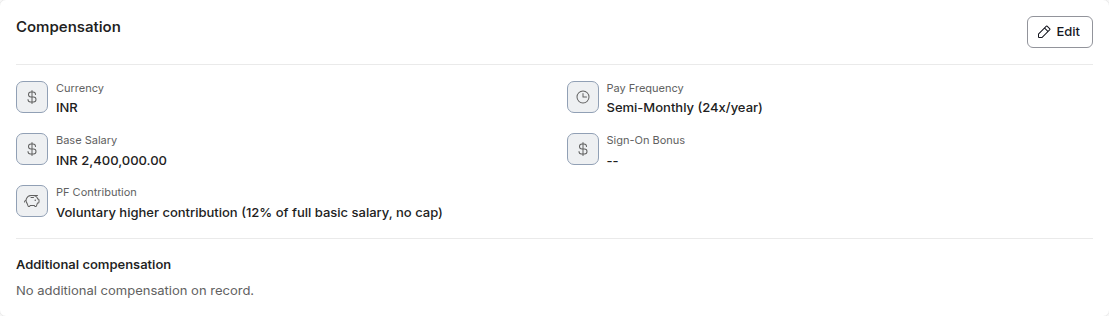
- Once it's approved, the Compensation section shows your new option, and payroll uses it from the next pay run they can include it in.
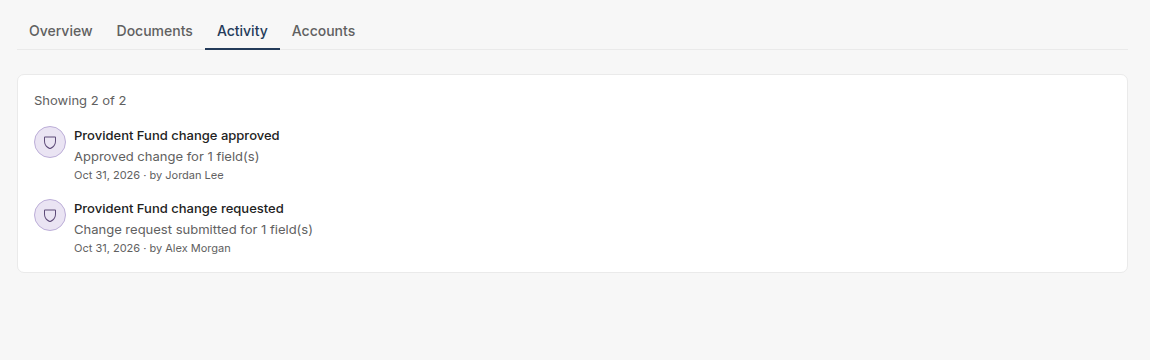
- You can follow every step on the Activity tab of your Profile: you'll see Provident Fund change requested, then approved or rejected.
🗓️ Payroll runs on a fixed schedule. A change approved close to your pay date may first appear on the following payslip.
Frequently asked questions
I don't see PF Contribution on my Profile
The PF option shows for employees in India who are paid through Toku. Contractors don't have a Provident Fund contribution. If you're an employee in India and don't see it, contact support.
My PF Contribution says “Not chosen yet”
We don't have a choice on file for you. Select Edit, choose an option and save, and Toku will confirm it with payroll.
Can I change my mind after I've sent a request?
Yes. While your request is still waiting for review, send a new one with the option you want. The new request replaces the earlier one.
How long does a review take?
Toku reviews each request with payroll before it's applied. The Activity tab on your Profile shows a new entry as soon as yours is approved or rejected. If it's been waiting longer than you expected, contact support.
Does this change my employer's contribution?
This setting is about your own contribution from your basic salary. If you have questions about the employer contribution or your PF account, contact support.
Will this change my Universal Account Number (UAN)?
No. Your UAN and PF forms stay as they are. Only the amount you contribute each month changes.
Related articles
Still stuck?
Email customer-success@toku.com and our support team will help. Include your email address, your organization name and a short description of what you're trying to do.