
 3 MIN READ
 UPDATED NOV 4, 2026
For company admins on Toku HR and Toku Contractor. Last updated November 4, 2026.
Choose how Toku numbers your contractor invoices, so they match your accounting. You set a format such as ACME-2026-0001, decide whether the count runs across your whole company or separately for each contractor, and choose when it starts again. Until you turn it on, invoices keep Toku's standard numbers (INV-000123).
Before you start
- You need full access to the Company page. Admins with view-only access can see the setting but not change it.
- The format applies to contractor invoices created after you save it: invoices contractors submit, invoices you create for a contractor, and invoices Toku generates automatically. Drafts get their number when they are created.
- Existing invoices keep their numbers.
Turn on custom numbering
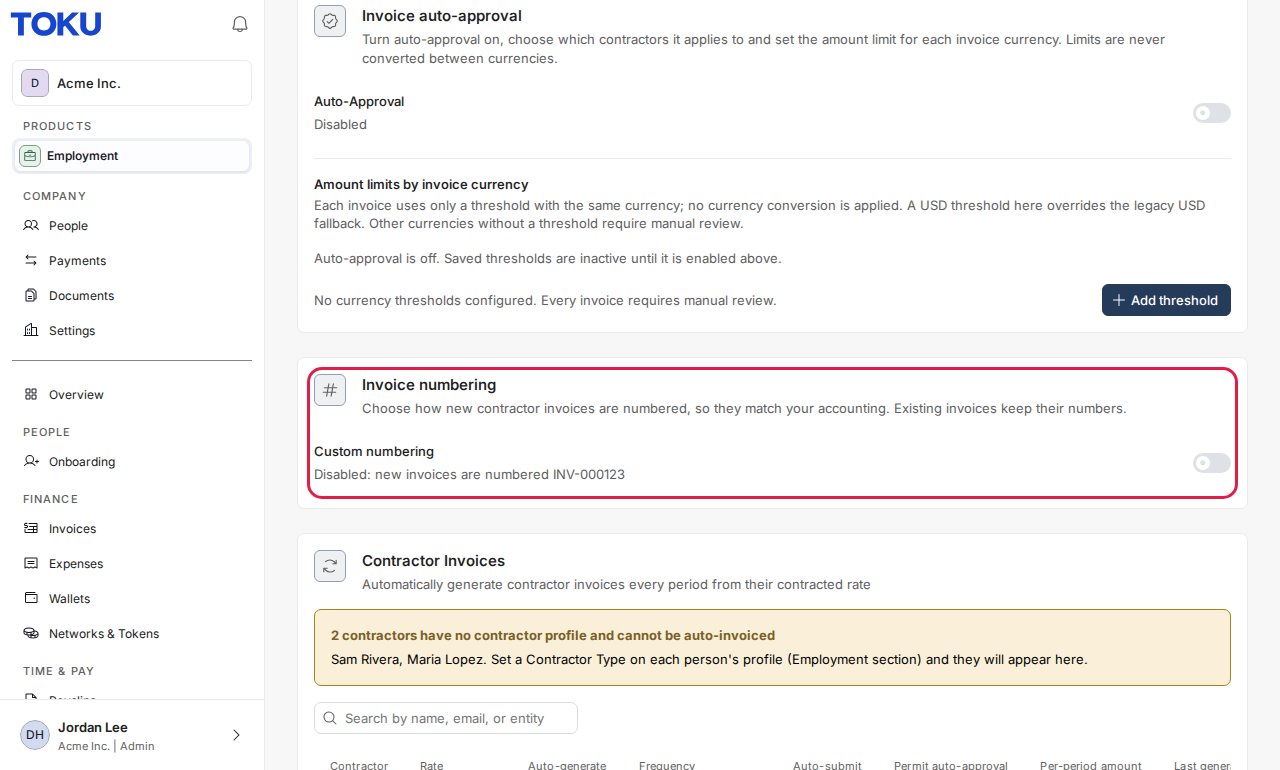
- In the menu, under Company, select Settings, then open the Settings tab.
- Find the Invoice numbering card and turn on Custom numbering. The format editor opens. Nothing changes until you save.
- In Format, type the text you want and add placeholders:
- {YYYY} or {YY}: the year the invoice is created (2026 or 26).
- {MM}: the month (01 to 12).
- {SEQ:4}: the count, padded with zeros to 4 digits (0001). Use exactly one count placeholder. You can use letters, numbers, dashes, underscores, slashes and dots. The Preview shows the next number as you type.
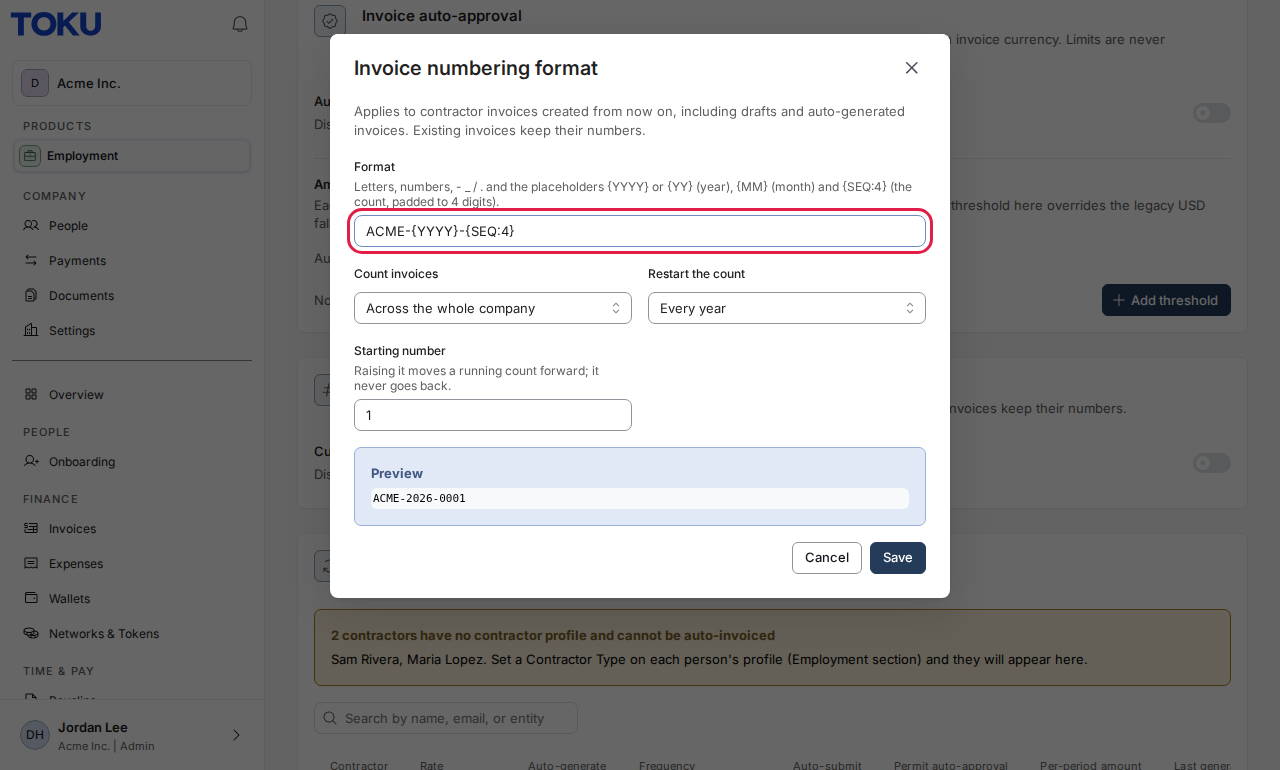
- Under Count invoices, choose Across the whole company (one count for everyone) or Separately for each contractor (each contractor starts at their own first number).
- Under Restart the count, choose Never, Every year or Every month. A yearly restart needs the year in the format, and a monthly restart needs the year and the month, so numbers never repeat.
- In Starting number, enter the first number a new count should use. To continue from your previous system, enter the next number it would have used.
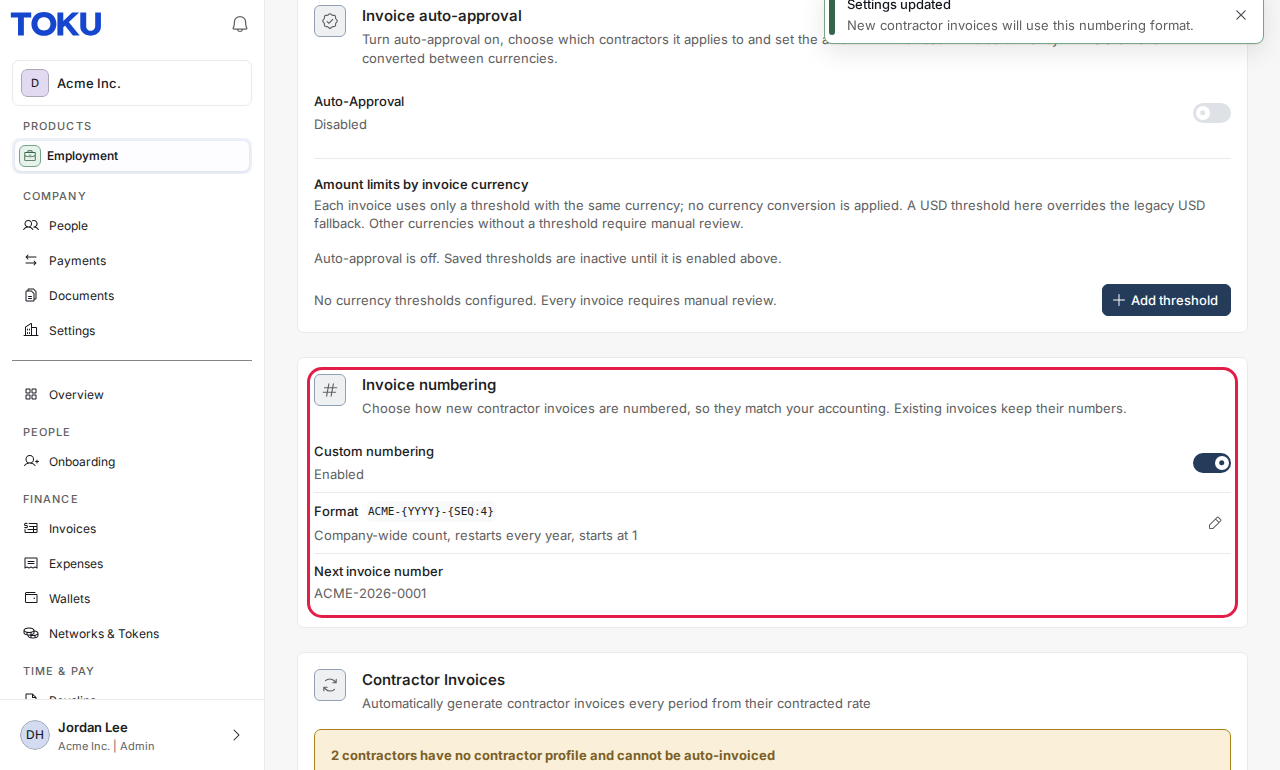
- Select Save. The card shows your format, how it counts and the next invoice number.
What contractors see
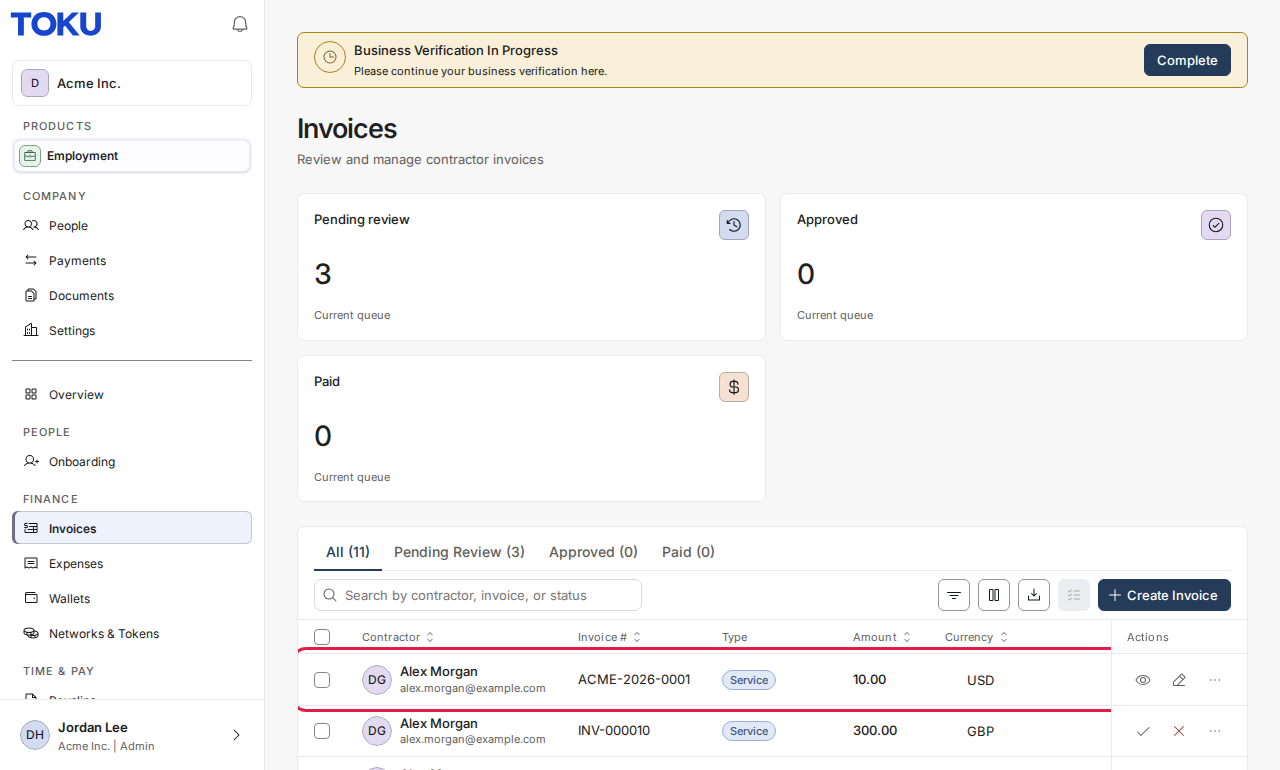
Contractors see the new number on their invoices from the moment an invoice is created, including drafts. Nothing else changes for them.
Good to know
- To change the format later, select the pencil next to Format. Raising the starting number moves a running count forward; it never moves back, so numbers are never reused.
- If a number is already used (for example one typed in by hand), Toku skips it and uses the next free one.
- Invoice numbers can be up to 21 characters long, so they fit accounting tools such as QuickBooks. The editor tells you if a format could produce longer numbers.
- With Separately for each contractor, two contractors can have the same number. Choose Across the whole company if every number must be unique.
- To go back to Toku's standard numbering, turn off Custom numbering. Invoices already numbered keep their numbers.
Still stuck?
Email customer-success@toku.com and we'll help.