
 2 MIN READ
 UPDATED OCT 30, 2026
The Settings tab of the Time Tracking page controls how your organization counts time, what each country's limits are, and the fixed schedules Autopilot uses.
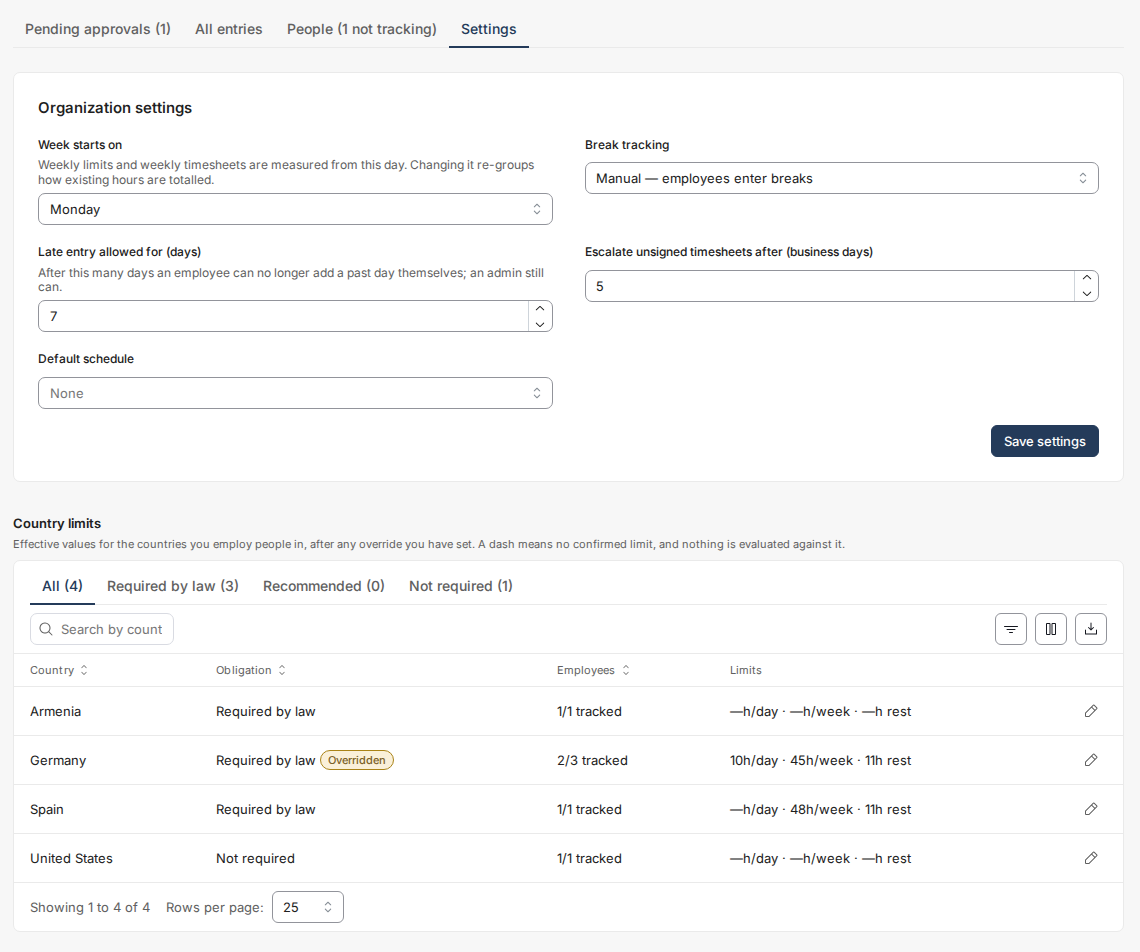
Organization settings
- Week starts on — weekly limits and weekly timesheets are measured from this day.
- Break tracking — whether employees enter breaks themselves, are reminded at submission, or breaks come from the schedule.
- Late entry allowed for (days) — how many days back an employee can still add a day themselves (admins are not limited).
- Escalate unsigned timesheets after (business days) — after how many business days an unsigned timesheet is escalated to you.
- Default schedule — pre-selected when you enrol someone on Autopilot.
Country limits - you can tighten, never loosen
The country table shows the effective limits for every country you employ people in: maximum daily/weekly hours, minimum rest, break rules. A dash means the statutory figure is not yet confirmed - nothing is evaluated against a dash, so no false violations are raised.
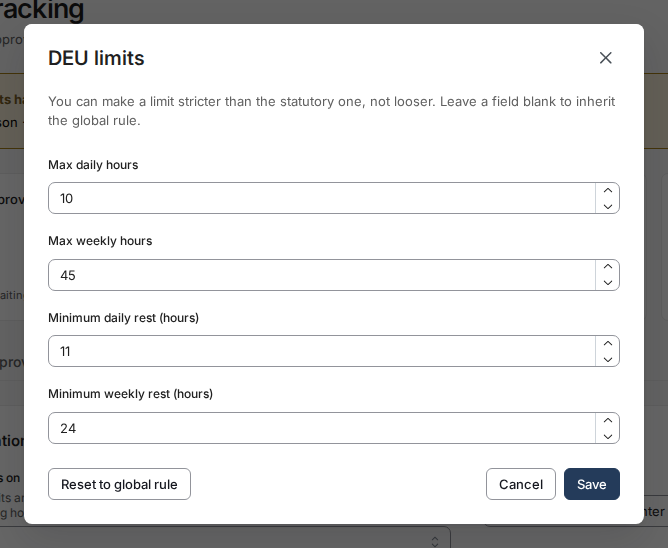
The pencil icon (Edit limits) on a country's row sets an override for your organization. An override may be stricter than the law (for example, capping German weeks at 45 hours instead of the statutory 48) but the form will refuse any value looser than the statutory limit, and will tell you the exact limit it refused against. Reset to global rule returns a country to the global rule.
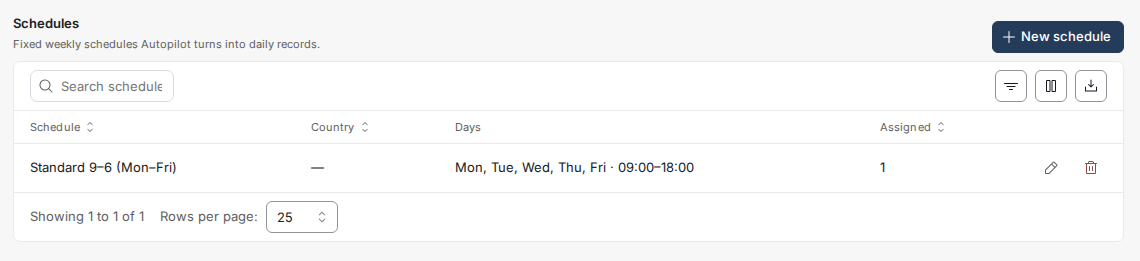
Schedules (for Autopilot)
A schedule is a fixed weekly pattern - working days, start/end, break. Autopilot expands it into daily records, skipping public holidays and approved leave automatically. Schedules cannot contain overnight shifts (those need manual entry), and a schedule in use by employees cannot be deleted.
Questions not covered here? Email customer-success@toku.com.