
 2 MIN READ
 UPDATED OCT 30, 2026
📘 For employees who use Toku. Last updated October 30, 2026.
Your Upcoming time off widget now shows your leave sorted by start date, so your next scheduled time off appears at the top.
Before you start
- This widget appears on your Overview page (the first item in the employee menu on the left).
- The widget displays your upcoming or in-progress time off requests - past leave is not shown.
View upcoming leave sorted by date
- Open Overview from the left-hand menu. The Upcoming time off widget sits to the right of Earnings overview.
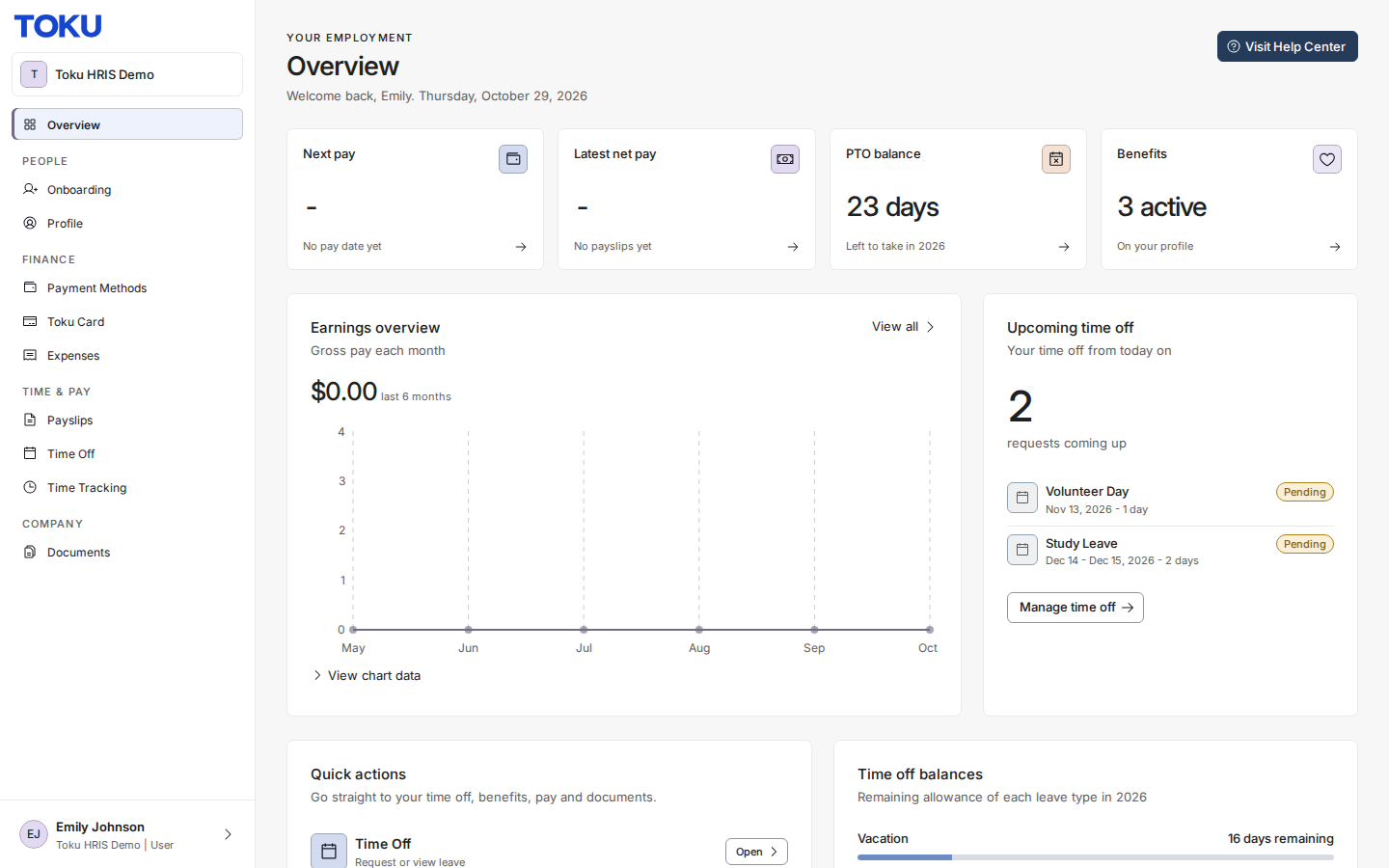
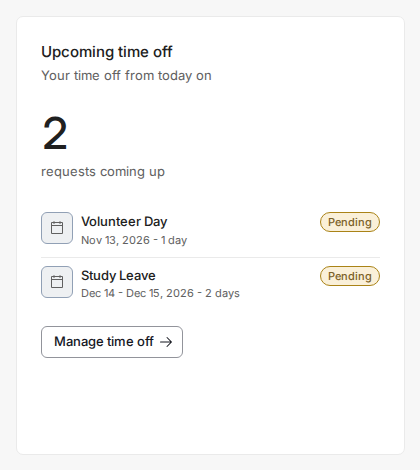
- Your leave is ordered by start date, with the soonest leave at the top - regardless of status or when you submitted it. In this example, a Volunteer Day request (Nov 13) appears first because its date is soonest, followed by a Study Leave request (Dec 14 - Dec 15), even though the Study Leave request was submitted later and is listed first on My Time Off.
Good to know
- Only upcoming or in-progress leave is shown - past time off does not appear.
- The widget displays up to 5 entries. If you have more leave requests, select Manage time off to see the complete list on your My Time Off page.
- Dates are sorted chronologically by when your leave begins, regardless of when you submitted the request.
- If all your time off is in the past, the widget shows "No upcoming time off".
- The widget isn't filtered by status - a Pending, Approved, or even a Cancelled request can appear here as long as its dates haven't fully passed. Check the status pill on each entry.
- This ordering is specific to the Overview widget. Your My Time Off page (where you submit and manage requests) is ordered differently: newest-submitted request first, not by leave date.
Still stuck?
You can email customer-success@toku.com to reach our support team. Please include your email address, organization name, and a description of what happened. Screenshots and videos are always welcome to speed up the troubleshooting process. Feel free to reach out any time for further assistance.