
 3 MIN READ
 UPDATED OCT 20, 2026
⚠️ Contractor invoice and payment deadlines: late action means late payment
- Contractors: submit invoices by the 19th of each month. A saved draft is not a submitted invoice.
- Admins: approve invoices by the 21st of each month. Submission alone does not authorize payment.
- Funding: Toku must receive cleared funds 4 - 5 business days before payout. Initiating a transfer or sending proof of payment does not meet the deadline.
- Standard monthly payout: the last day of the month, provided submission, approval, and funding deadlines are met. Late submission, approval, or funding will delay payment. Every day of delay pushes payment back by at least one day. A missed payment cycle can cause a longer delay; the invoice due date is not a guarantee of payment.
Automation does not remove these deadlines. Earlier published holiday deadlines take precedence; see Toku: 2026 End-of-Year Payroll & Payment Guide.
📘 For contractors and employees on Toku. Last updated July 23, 2026.
💡 This article covers Toku's Stablecoin Payroll product (crypto/token payout verification). If you are looking for how employees and contractors are paid on the Employment platform, see Where your invoice gets paid - bank or crypto.
Use the Filscan block explorer to verify your Filecoin payments, especially for internal transfers that may not appear in your wallet interface.
Before you start
- Have your Filecoin wallet address ready (the address where you received tokens).
- Go to https://filscan.io in your browser - no account is needed.
Look Up Your Wallet
- Open https://filscan.io and click the search bar at the top of the page.
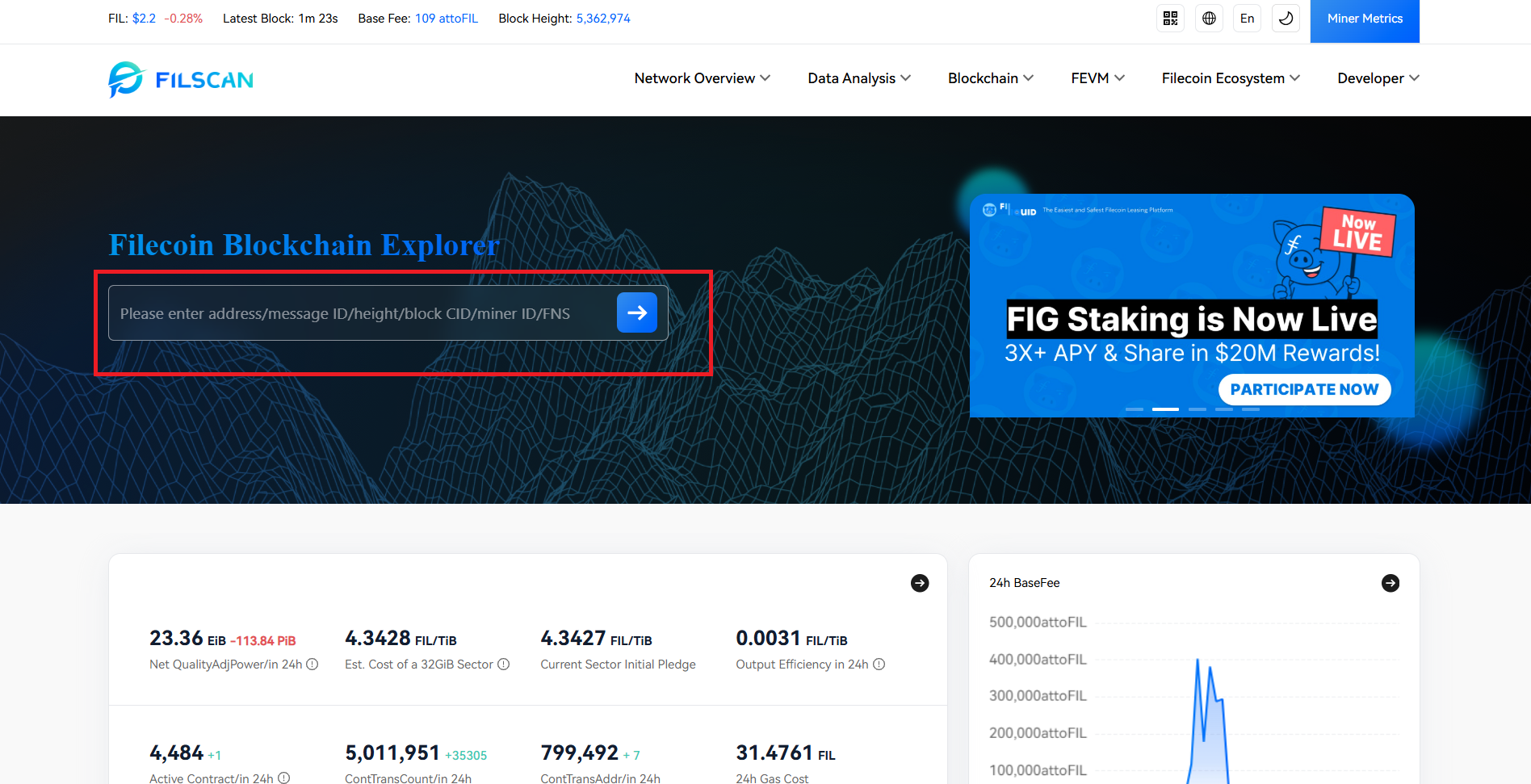
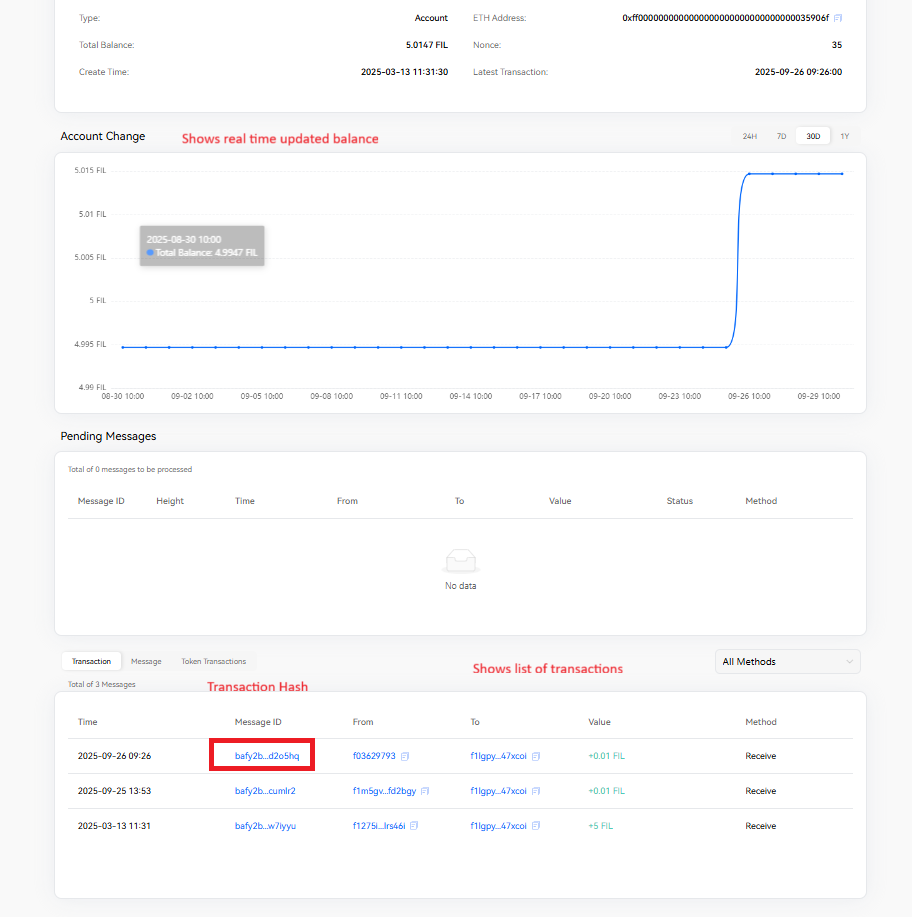
- Paste your Filecoin wallet address and press Enter. This opens your account overview page with balance history.
Check Internal Transfers
- Open https://filscan.io, look up your wallet address as above, and click the transaction you want to check in the transaction list to open its detail page.
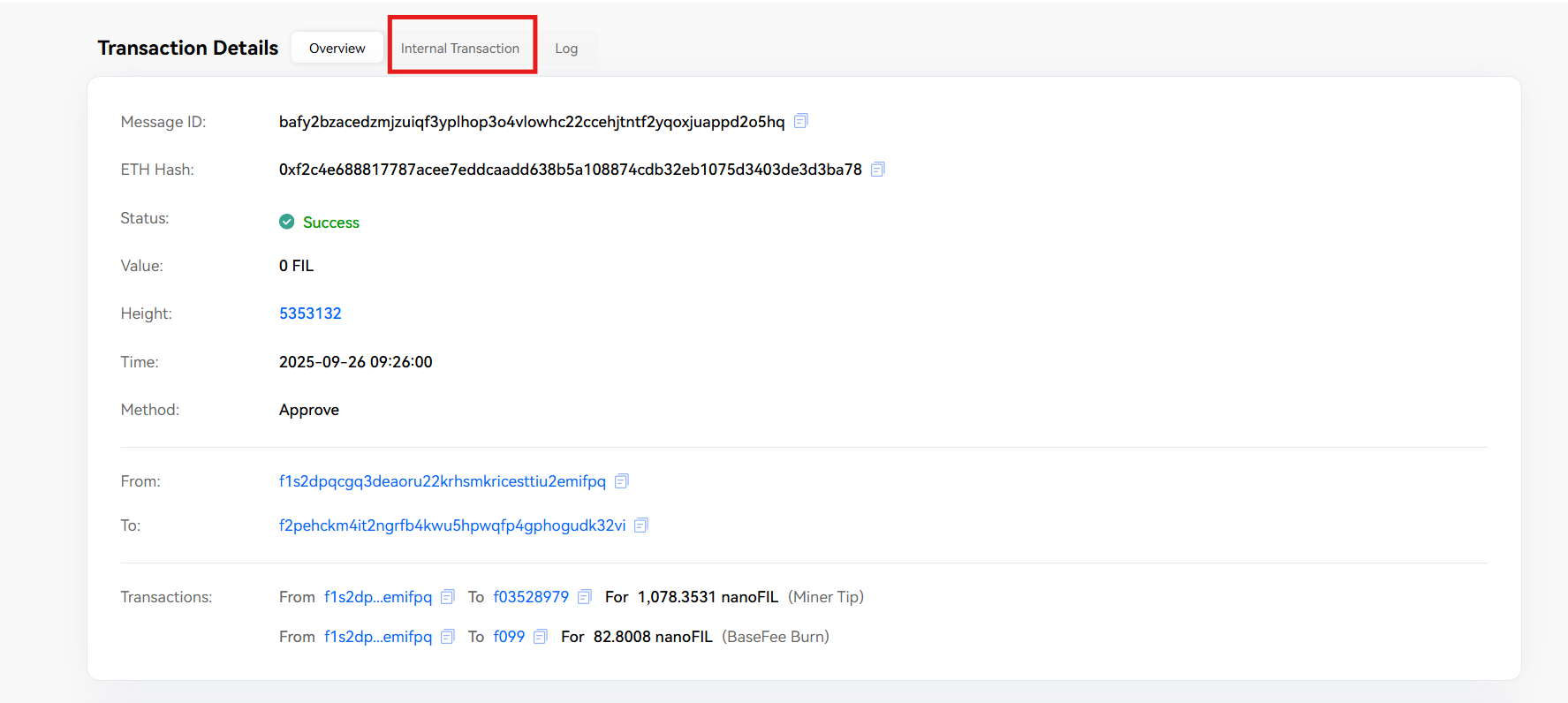
- On the transaction detail page, click the Internal Transaction tab to view transfers through multi-sig wallets.
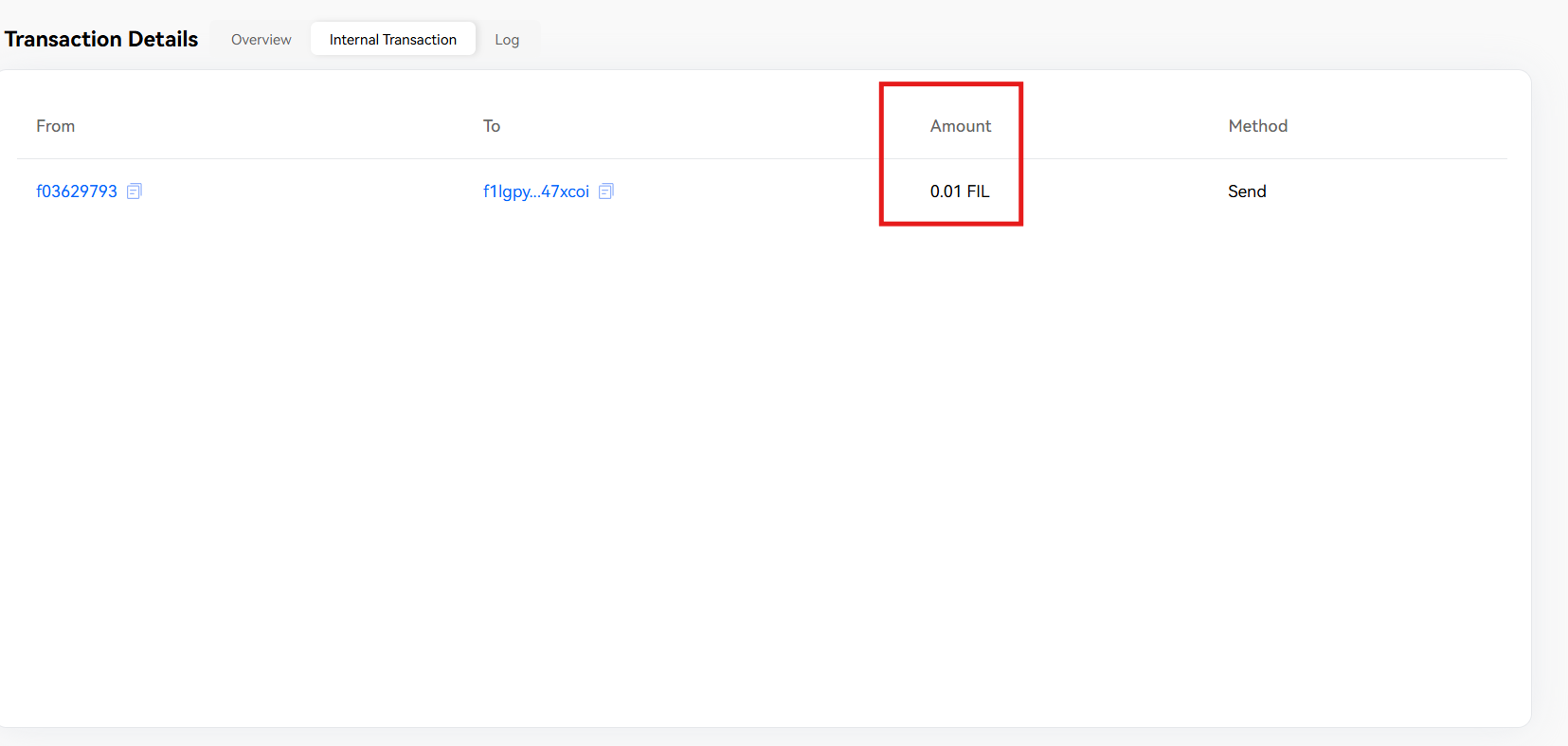
- Verify the From and To addresses, Amount, and Method (Send/Receive). This confirms the transaction was received.
Good to know
- Internal transfers are legitimate transactions processed through multi-sig wallets - they always update your balance correctly.
- If a payment doesn't appear in your personal wallet app but shows on Filscan, the funds are confirmed on the blockchain.
- The transaction detail page shows different information than your wallet app because Filscan reads directly from the blockchain.
Still stuck?
You can email customer-success@toku.com to reach our support team. Please include your email address, organization name, and a description of what happened. Screenshots and videos are always welcome to speed up the troubleshooting process. Feel free to reach out any time for further assistance.