
 2 MIN READ
 UPDATED NOV 6, 2026
For company admins on Toku Employment. Last updated November 6, 2026.
Your workers use their Toku login to get payslips, tax forms and invoices, including after they leave your company. If that login is a company email address, it stops working when the mailbox is closed. Turn on Personal login emails and every new worker signs in with a personal email instead, so they keep access.
Before you start
- You need to be a company admin who can manage your company settings.
- The setting applies to people you add from now on. People already on your team keep their current login.
- You choose which domains count as company domains. Public email providers (like gmail.com) can't be listed.
Turn on personal login emails
- In the sidebar, click Settings, then Company profile under Employment.
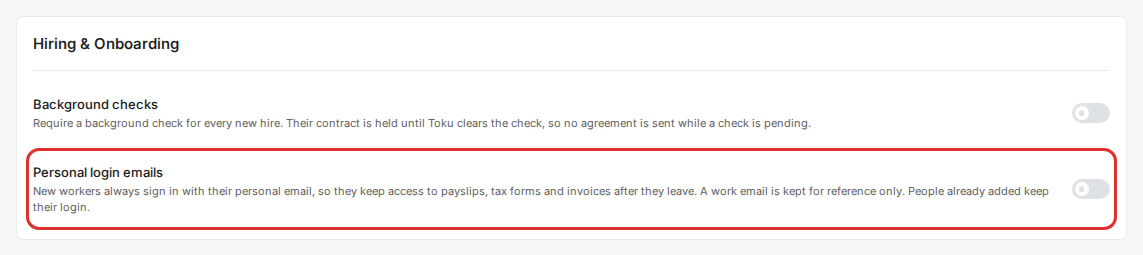
- Open the Settings tab. Under Hiring & Onboarding, turn on Personal login emails. The change saves straight away.
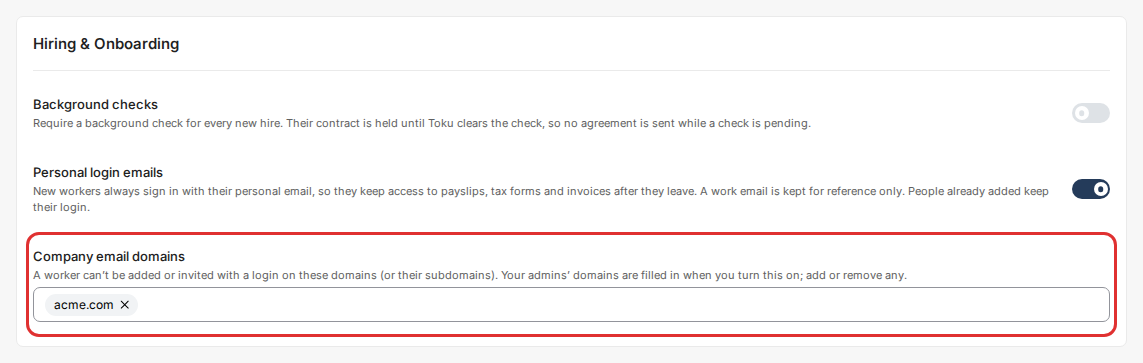
- Check the Company email domains list. Your admins' email domains are filled in when you turn the setting on. Add or remove domains so the list holds the domains your company mailboxes use. Subdomains count too: if you list acme.com, an address on uk.acme.com is also treated as a company address.
Add a person
- Go to People and click Add People.
- Choose Contractor or Employee, pick the engagement and click Continue until you reach the personal details.
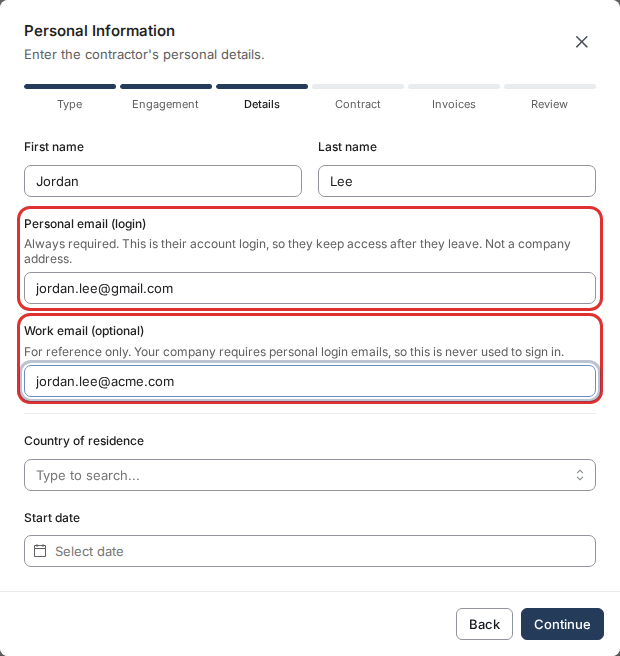
- Enter their Personal email (login). This is the address they sign in with. You can still enter their company address under Work email (optional). It is kept for reference only and is never used to sign in.
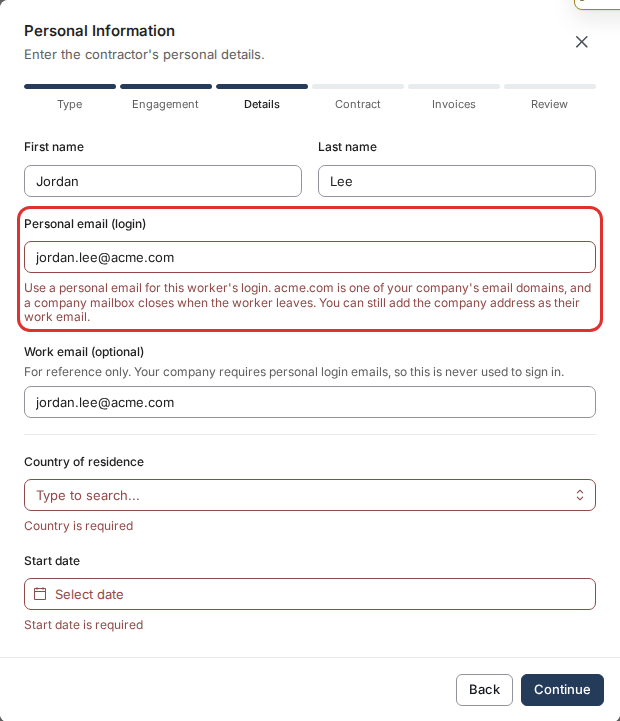
- If the personal email is on one of your company domains, Toku explains why and asks for a personal address before you can continue.
Bulk import
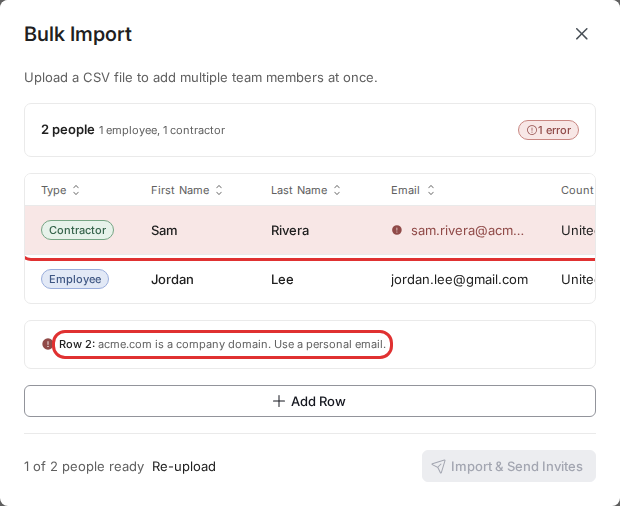
When you upload a CSV or Excel file under Add People and Bulk Import, Toku checks every row before anything is sent. A row whose email is on one of your company domains is marked in the preview with the reason, and Import & Send Invites stays off until you fix or remove it.
Good to know
- Turning the setting off goes back to the previous behavior for new people.
- Listing your domains is what makes Toku refuse company addresses. With the setting on and no domains listed, new workers still sign in with their personal email.
- If you use Toku Contractor without Toku Employment and want this setting, contact Customer Success and we will turn it on for you.
Still stuck?
Email customer-success@toku.com and we'll help.