
 2 MIN READ
 UPDATED NOV 3, 2026
For company admins and employees on Toku Employment. Last updated November 3, 2026.
You can download several payslips in one go instead of one by one. Tick the payslips you want, or download every payslip in the list, and Toku saves them for you as a single ZIP file.
Before you start
- Admins need access to the Payslips page. Employees can always download their own payslips.
- Only payslips with a PDF attached can be downloaded.
Download all the payslips in the list
- Log in at app.toku.com and select Payslips in the left-hand menu.
- Without ticking any rows, select the download icon at the top right of the table.
- Select Download all (the button shows how many payslips are in the list).
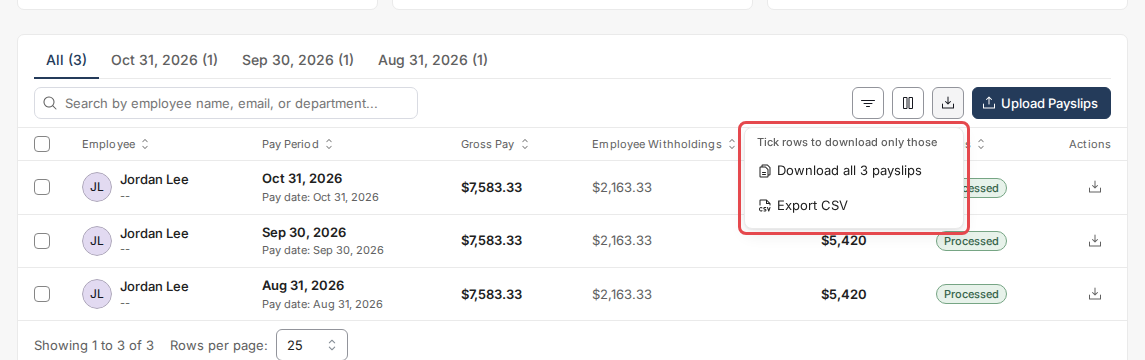
The download follows what the table shows. To download one month or one employee only, pick a month tab, search for the employee, or use the filters first.
Download only the payslips you pick
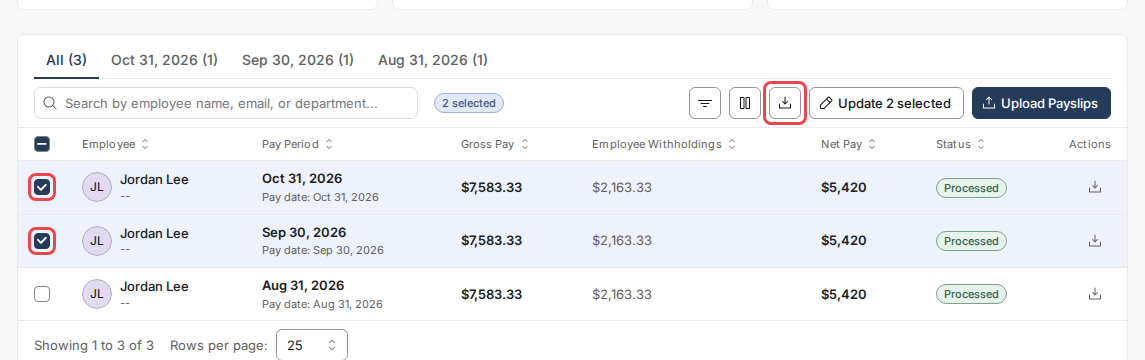
- Tick the box next to each payslip you want.
- Select the download icon at the top right of the table. Your download starts straight away.
What you get
- One payslip is saved as its own PDF.
- Several payslips are saved as one ZIP file named with today's date.
- For admins, the ZIP has one folder per employee, named with the employee's name and email, so two people with the same name stay apart.
- A single download can include up to 200 files and 200 MB. For more, download one month or a few employees at a time.
What employees see
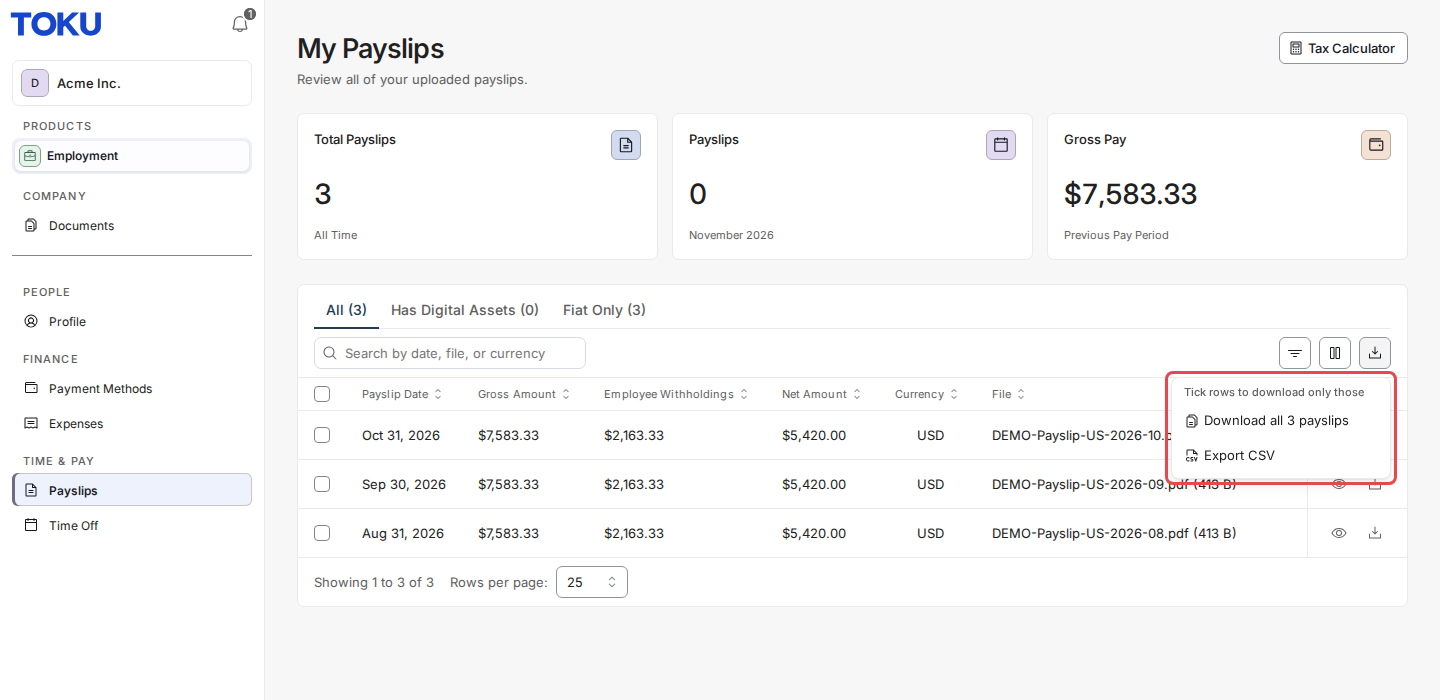
Employees find the same download icon on their Payslips page and can save all their payslips, or the ones they tick, the same way.
Good to know
- Export CSV in the same menu still downloads the table as a spreadsheet.
- A ticked payslip that your current search or filters hide is not included.
Still stuck?
You can email customer-success@toku.com to reach our support team. Please include your email address, organization name, and a description of what happened.