
 2 MIN READ
 UPDATED OCT 30, 2026
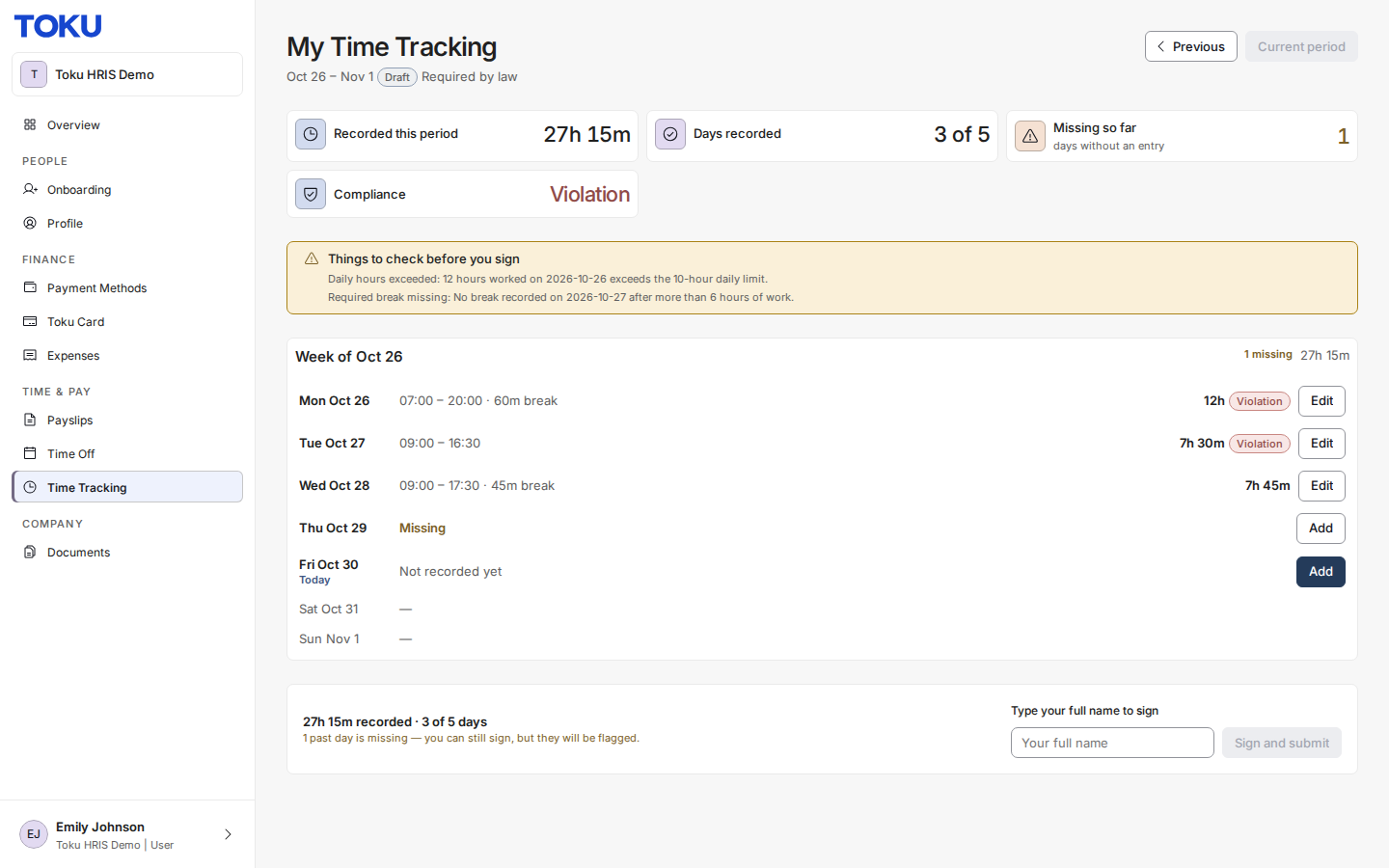
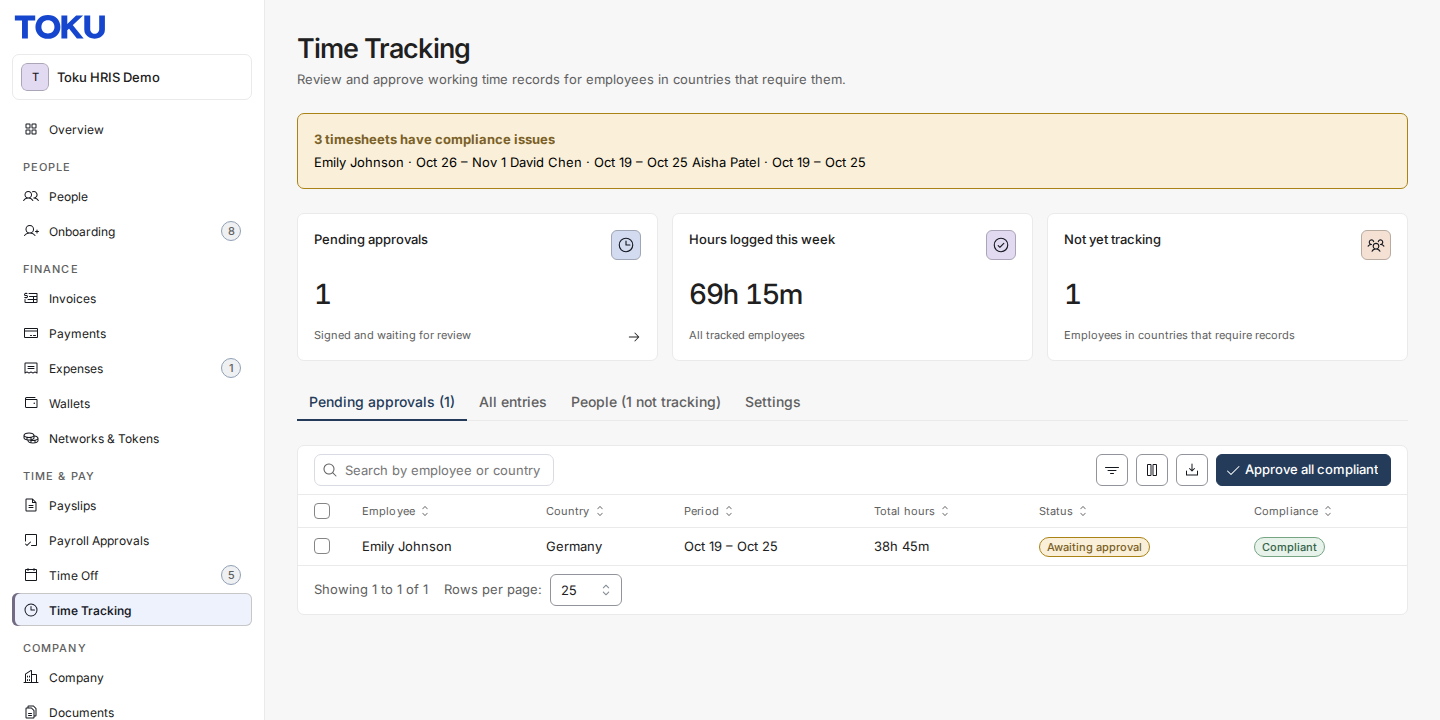
Working-time recording for Toku EOR employees in countries whose law requires it. Employees record (or auto-generate) daily start, end, and break times, sign their timesheet, and client admins review, approve, and export the records for labour inspections.
What this is - and is not. The purpose is compliance evidence, not payroll and not surveillance. Every employee on this product is salaried exempt: recorded hours never change anyone's pay, and there is no overtime calculation anywhere. A compliance issue never blocks an employee or an admin - it is flagged, explained, and resolved by people.
Who does what
| Role | What you do | Where |
|---|---|---|
| Employee | Record your days, review findings, sign your timesheet | Employment → Time Tracking |
| Client admin | Enrol employees, configure rules, review and approve timesheets, export records | Employment → Time Tracking (admin) |
Key terms
- Period — the unit an employee signs: a week (manual entry) or a month (Autopilot).
- Sign-off — the employee types their full name to attest the record is theirs. This is the legally meaningful act; name, time, and network address are stored with it.
- Autopilot — for eligible countries, Toku generates daily records from a fixed weekly schedule; the employee reviews and signs monthly instead of typing times daily.
- Obligation — per country: Required by law, Recommended, or Not required. Set globally by Toku, not by clients.
- Warning / Violation — a recorded day or week close to (warning) or beyond (violation) a statutory limit such as maximum daily hours or minimum rest.
Guides
Employee guides and admin guides are the sub-pages of this page. Open the page list below. Country obligations (Required by law, Recommended, Not required) are set globally by Toku. To turn the module on for your organization, email customer-success@toku.com.